
memory and model
Last updated
Reduce KV cache memory: vLLM FP8 setup and response checks
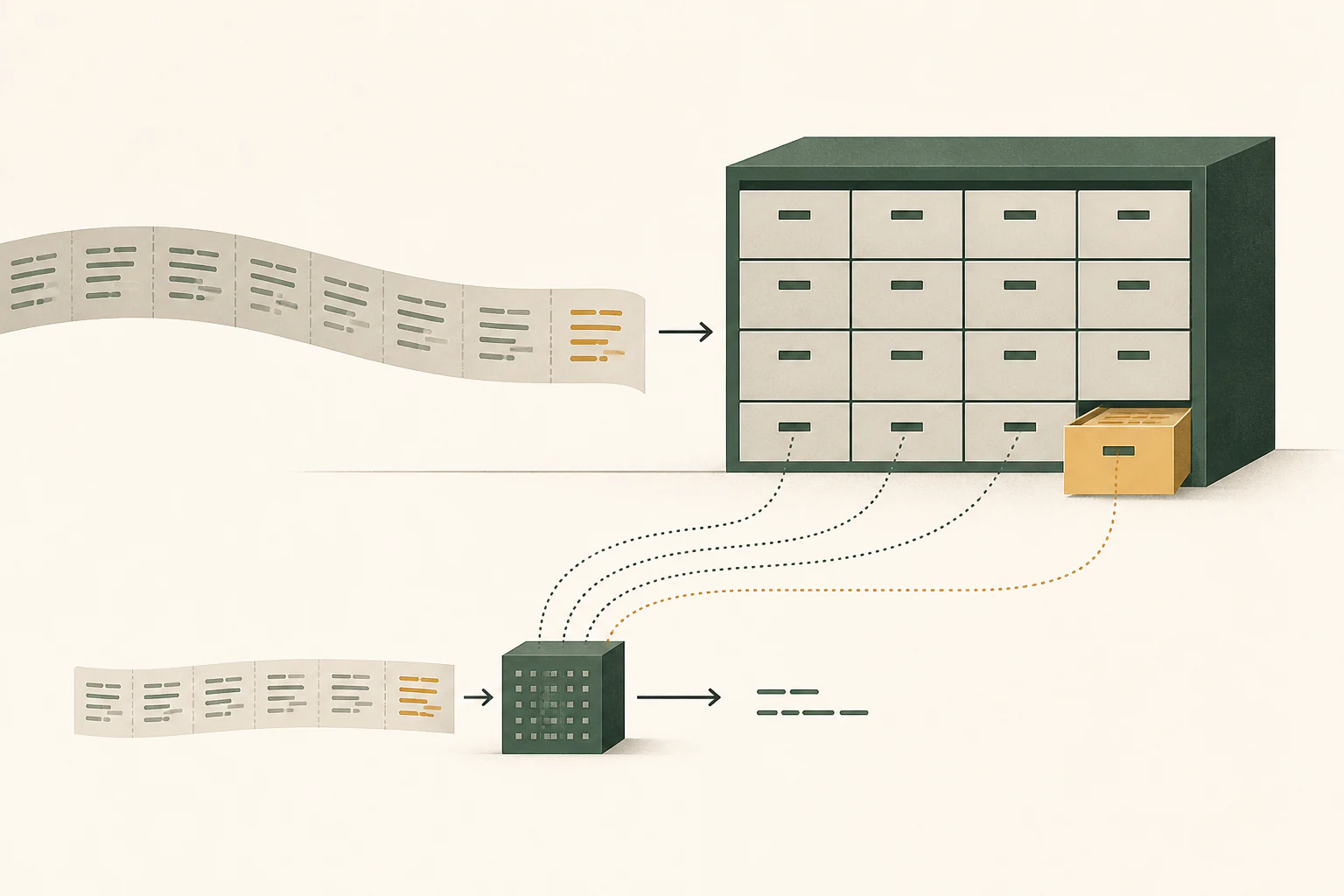
The KV cache stores computation state from earlier context.
The KV cache1 stores the keys and values of tokens2 a language model has already processed. The model reuses this state when continuing an answer, reducing repeated computation of earlier context. Long contexts and concurrent requests consume more cache memory, so this guide explores reducing that space with vLLM's FP83 setting.
This example asks what happens when a function receives an empty list and requests a test. Send the same code using default and FP8 caches, then record the answers, memory use, and completion times to assess the change.
Continuing a conversation adds state to retain
During prefill4, the model processes relationships between input tokens. When generating an answer token by token, it refers to previous tokens again. Reusing the keys and values in the KV cache lets it continue without rebuilding earlier context state from scratch.
After reading a function and explaining it, a follow-up test request may include the original code and previous answer. New questions and outputs add context, so cache use changes even though the model file stays the same. The application's removal of old messages or reconstruction of context also matters.
A one-line question can still contain many input tokens if the application attaches a whole code file or long PDF. Check actual input length in the application's token display or server logs. Concurrent requests need their own state, so test a single conversation separately from overlapping tasks.
Why weight and cache precision are separate choices
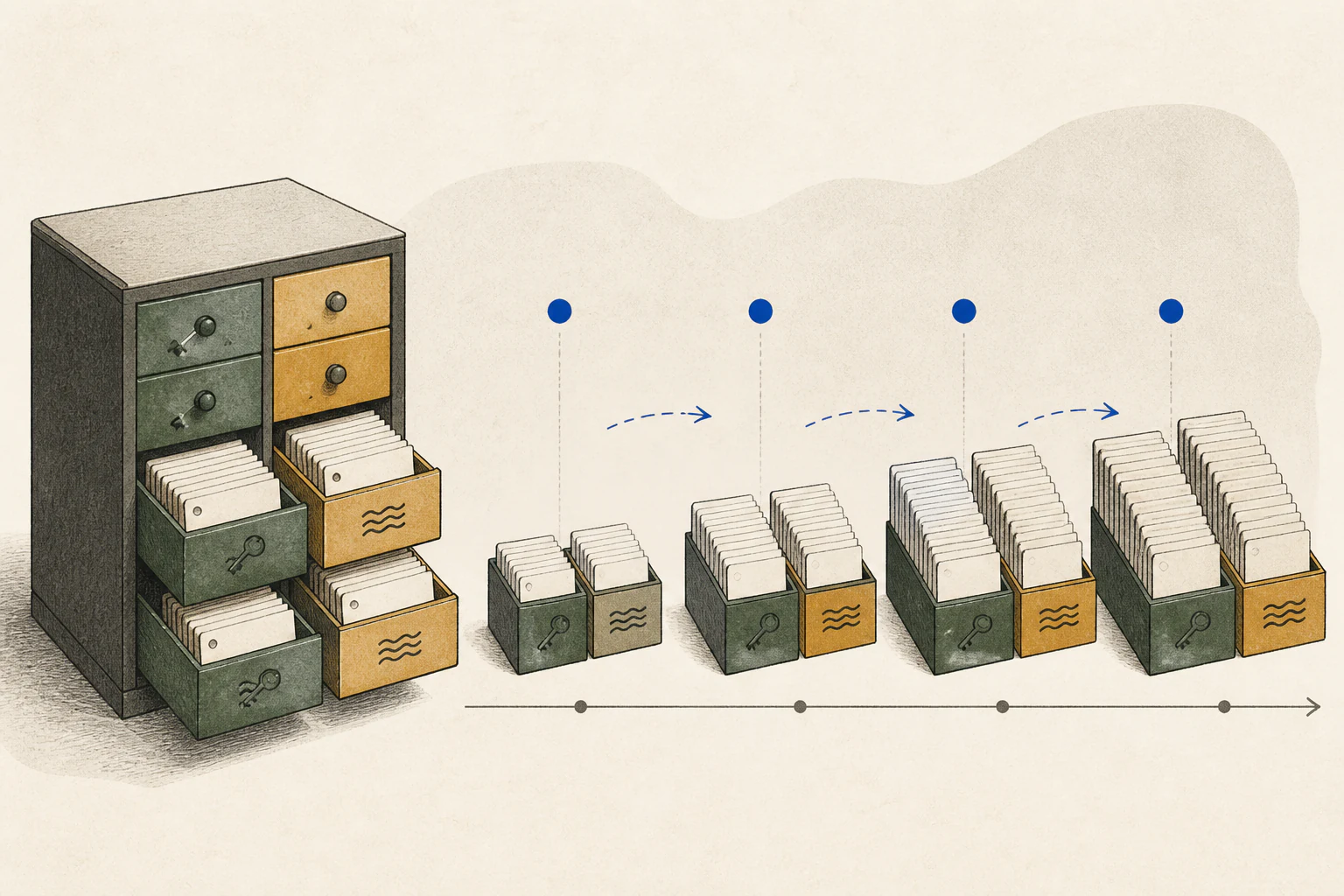
Q4 and NVFP45 describe how model weights are stored. The KV cache is state produced during execution and uses its own precision. Supported runtimes can store it in 8 or 4 bits to reduce space for long contexts.
Cache conversion adds computation and changes value precision. That is why memory savings, generation speed, and answer accuracy need separate comparisons. For short contexts, conversion overhead can offset savings, and prefill performance also depends on head dimension and backend.
| Area | Contents | Factors |
|---|---|---|
| Model weights | Learned model data | Model size, quantization, placement |
| KV cache | Computation state of previous tokens | Context length, layer structure, precision, concurrency |
| Runtime buffers | Temporary data for current operations | Backend, batch, runtime settings |
Get an answer from the baseline server first
Run this example in a vLLM environment supporting gpt-oss-20b. Leave memory for loading the model and creating its cache. Rather than fixing GPU6 count or memory utilization arbitrarily, check the installed backend's model support and loading logs.
Run the first command. Once the server is ready, send the curl command from another terminal. The first_item function reads the first list element, so an empty list causes an index error. Save the baseline answer after checking that it explains the cause and proposes an empty-list test.
vllm serve openai/gpt-oss-20b --host 127.0.0.1 --port 8000 --max-model-len 8192curl --fail-with-body http://127.0.0.1:8000/v1/chat/completions -H 'Content-Type: application/json' -d '{"model":"openai/gpt-oss-20b","messages":[{"role":"user","content":"Review this function for empty-list input and suggest one test: def first_item(items): return items[0]"}],"temperature":0,"max_tokens":128}'Change only the cache to FP8 and repeat the request
After the baseline request succeeds, stop the server and restart with --kv-cache-dtype fp8. Keep the model, context, weight format, and concurrency unchanged. Confirm FP8 KV and the actual attention7 backend in the logs, then send the same curl request.
FP8 KV requires support from the GPU, attention backend, and model architecture. Treat official Hopper and Blackwell evaluation conditions as evidence for those paths; check your installed version's support matrix for other GPUs. For models mixing global and sliding-window attention, such as GPT-OSS, also compare keeping short-window layers at default precision.
The second command's --kv-cache-dtype-skip-layers sliding_window provides that choice. On a build supporting it, test all-layer FP8 and the skip-layer configuration separately with the same function question.
vllm serve openai/gpt-oss-20b --host 127.0.0.1 --port 8000 --max-model-len 8192 --kv-cache-dtype fp8vllm serve openai/gpt-oss-20b --host 127.0.0.1 --port 8000 --max-model-len 8192 --kv-cache-dtype fp8 --kv-cache-dtype-skip-layers sliding_windowRecord both memory savings and answer quality
Measure repeatedly after model loading, excluding the preparation request. Record TTFT8, inter-token latency, total completion time, and peak GPU memory, starting with one request at a time. For long-context or concurrent use, increase input length or concurrency one at a time. Record fresh inputs separately from reused prefixes.
Compare the answer's empty-list explanation and proposed test against the code. Prepare several function questions and compare consistently to reduce reliance on a single result. Even with little speed change, fitting longer inputs or completing more requests reliably can satisfy your goal.
If you limit cache size or remove old state, check whether information supplied at the start of a conversation remains available later. If a fresh conversation answers correctly but a continued one fails, compare the actual messages sent and state retention settings. Use application-wide memory graphs to locate pressure and server metrics to inspect the KV cache itself.

Startup errors and memory shortages need different adjustments
If a dtype or backend error prevents startup, remove the FP8 option and retry the baseline command. If only FP8 fails, check cache support. If the baseline also fails, investigate model support, the driver, and the installed version first.
If memory runs out during long requests, reduce context or concurrency one at a time. If answers repeatedly miss code conditions, return to default precision and compare the same questions. Keep the setting that preserves accuracy and stability at your required context and concurrency.
Terminology notes
KV cache — Memory that stores attention keys and values from earlier tokens for reuse during later token generation. Its size depends on context length and batch size.
Back to the textToken — A unit into which a model divides input or output for processing.
Back to the textFP8 — A floating-point format that represents each value with 8 bits.
Back to the textPrefill — The stage where an LLM reads the input prompt and computes representations for its tokens. Longer prompts contain more tokens to process.
Back to the textNVFP4 — A 4-bit floating-point data format defined by NVIDIA. Support depends on GPU generation, model, and software implementation.
Back to the textGPU — A processor designed to handle many calculations in parallel. It performs model computations during AI inference.
Back to the textAttention — A neural-network operation that calculates relationships between input tokens and combines information from each position into the current representation.
Back to the textTime to First Token — The time from sending a request until its first output token arrives.
Back to the text
Frequently asked questions
- What should you check first in this article?
- The KV cache stores the keys and values of tokens a language model has already processed. The model reuses this state when continuing an answer, reducing repeated computation of earlier context. Long contexts and concurrent requests consume more cache memory, so this guide explores reducing that space with vLLM's FP8 setting.
- How much memory does it need?
- If you limit cache size or remove old state, check whether information supplied at the start of a conversation remains available later. If a fresh conversation answers correctly but a continued one fails, compare the actual messages sent and state retention settings. Use application-wide memory graphs to locate pressure and server metrics to inspect the KV cache itself.