
Executable programs and extensions
Last updated
Running local LLMs across two or more GPUs
Two GPUs can split a model or share multiple requests.
Multi-GPU serving can partition one model across cards or place model replicas on separate cards to distribute requests. Two 24 GB GPUs have 48 GB of physical memory in total, but a request cannot use it as one pool unless the runtime1 distributes model and cache. Model capacity, single-answer latency, and team throughput2 need separate checks.
When considering two 24 GB GPUs for a shared coding server, first identify whether the problem is loading a larger model, speeding up one answer, or reducing queues for multiple users. Adding a card also introduces runtime requirements, interconnect communication, cooling, and power constraints.
Place the weights and cache across the GPUs.
Two 24 GB cards provide 48 GB of physical memory in total. But if an application uses only the first GPU3, memory on the second does not help load a model on the first. The runtime must support distributing weights and in-use KV cache4 to use both cards for one larger model.
Operating-system detection and actual use of both GPUs by a specific model are separate checks. Inspect runtime logs and per-GPU memory to see whether the model was partitioned or loaded on only one card. Workspace and per-request cache also require memory, so all 48 GB cannot be devoted to weights; uneven placement may cause one card to fill first.
- RTX 4090 24GB memory, speed and price
- Context length, RoPE and sliding-window attention
- Prefill vs decode: should you look at TTFT or tok/s?
- MoE vs dense: why low active parameters still need memory
- How to run Nemotron 3.5 Super VL on DGX Spark or RTX PRO 6000
- What server do you need to run Ling 3.1 Flash?
- What is ReplaySSM? Faster decoding for Nemotron and Qwen servers
- Will two GPUs make a local LLM twice as fast?
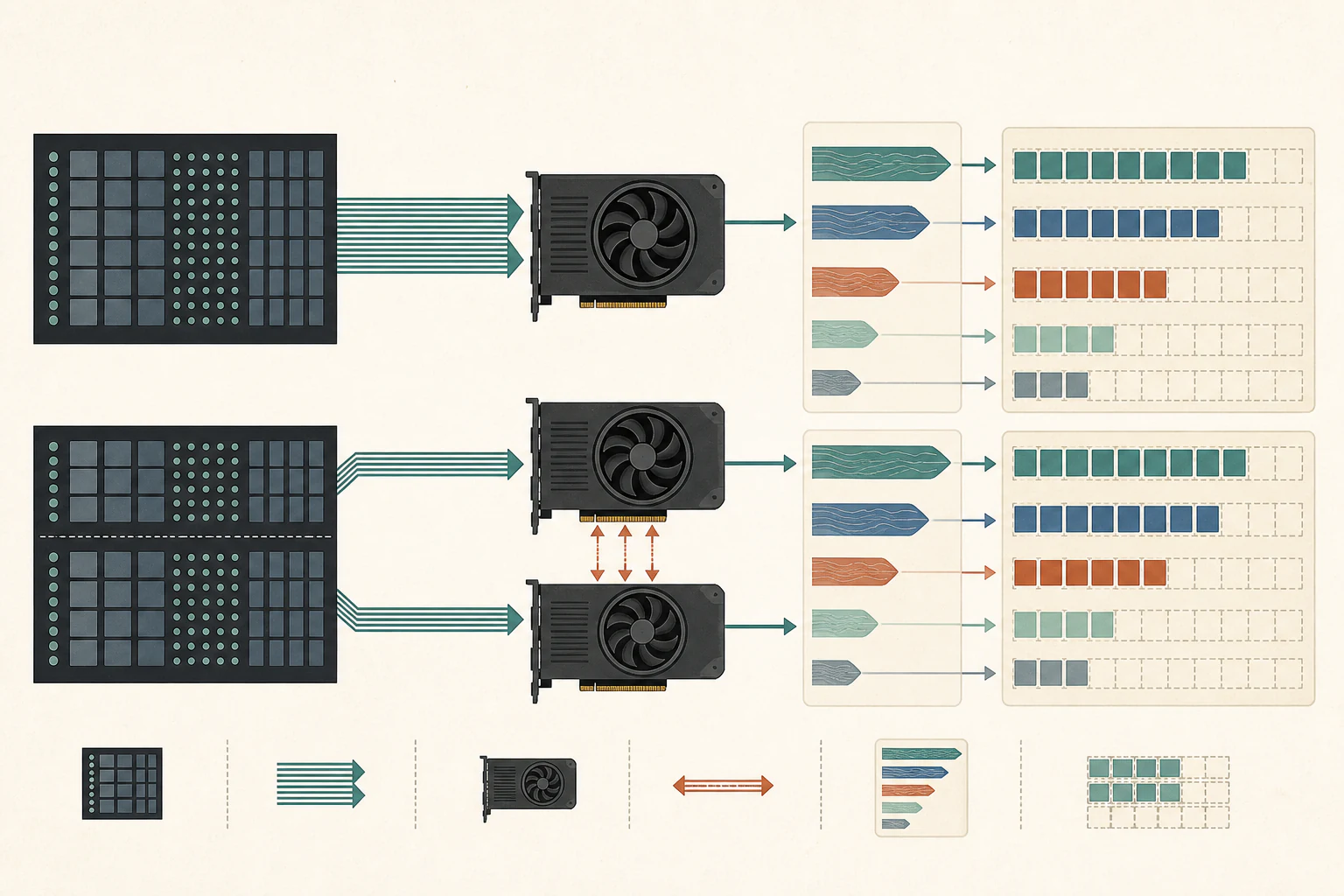
Layer splitting places earlier and later model layers on different cards
Layer splitting places earlier model layers on one GPU and later layers on another. Input flows through the earlier layers and intermediate results move to the next card, allowing weights that do not fit on one card to be divided across both.
Each later layer needs results from the previous stage, so transfer and waiting recur between cards. Measure the ability to load a model separately from any improvement in one user's response time. How much multiple requests can overlap depends on runtime scheduling, and unequal GPU memory can make an even split impractical.
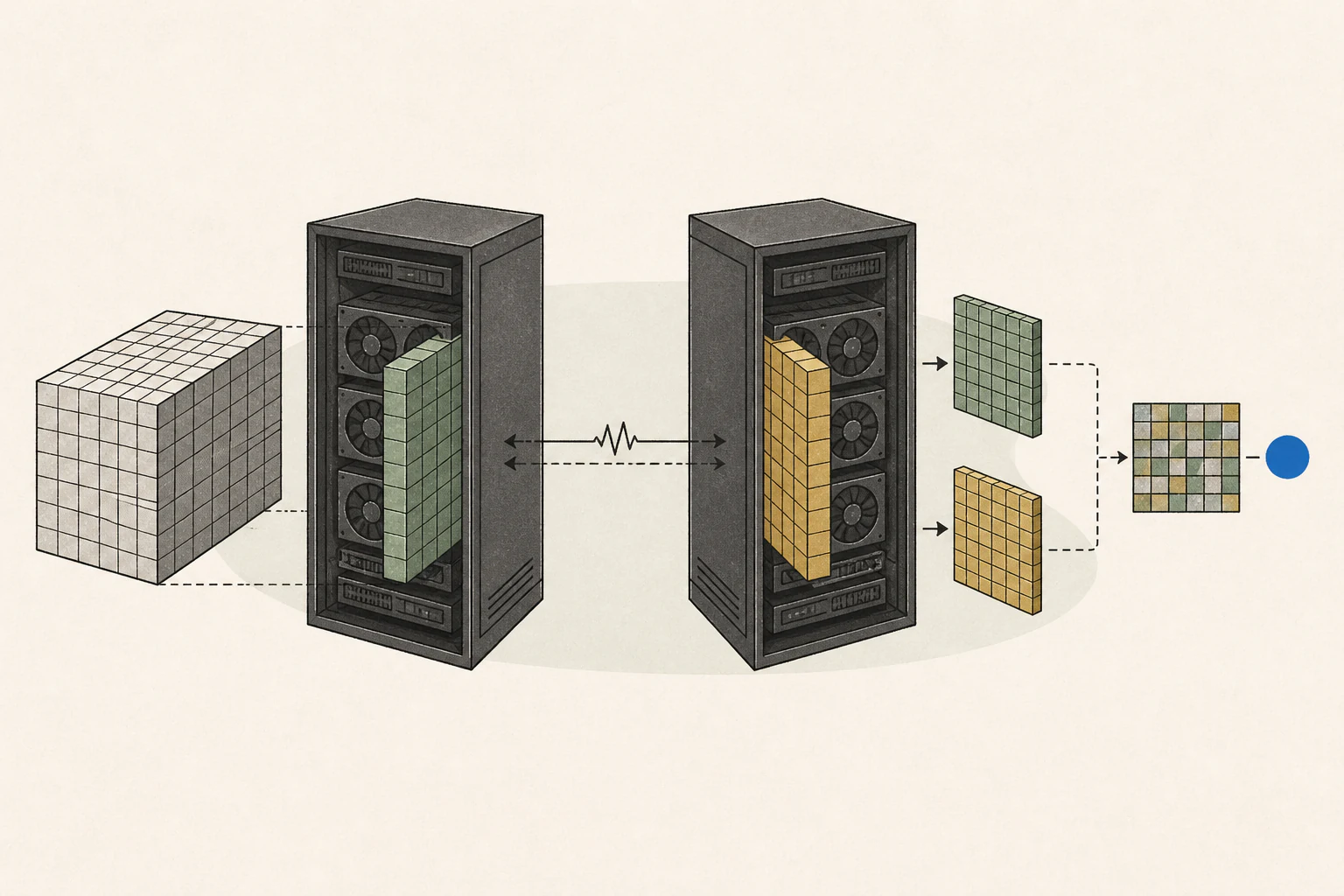
Tensor parallelism splits layer computation and communicates frequently
Tensor parallelism5 divides computation within the same model layer across GPUs and exchanges results. Unlike layer splitting, which places earlier and later layers on different cards, tensor parallelism repeatedly communicates during layer execution.
Check not only motherboard PCIe generation but the actual lane count per slot and the connection arrangement with both cards installed. For NVLink, verify card support and required bridge hardware. Limited interconnect can offset saved compute time, so card specifications or bandwidth cannot simply be added to predict twice the speed. Also confirm which parallel method the application implements and whether it supports the chosen model format.
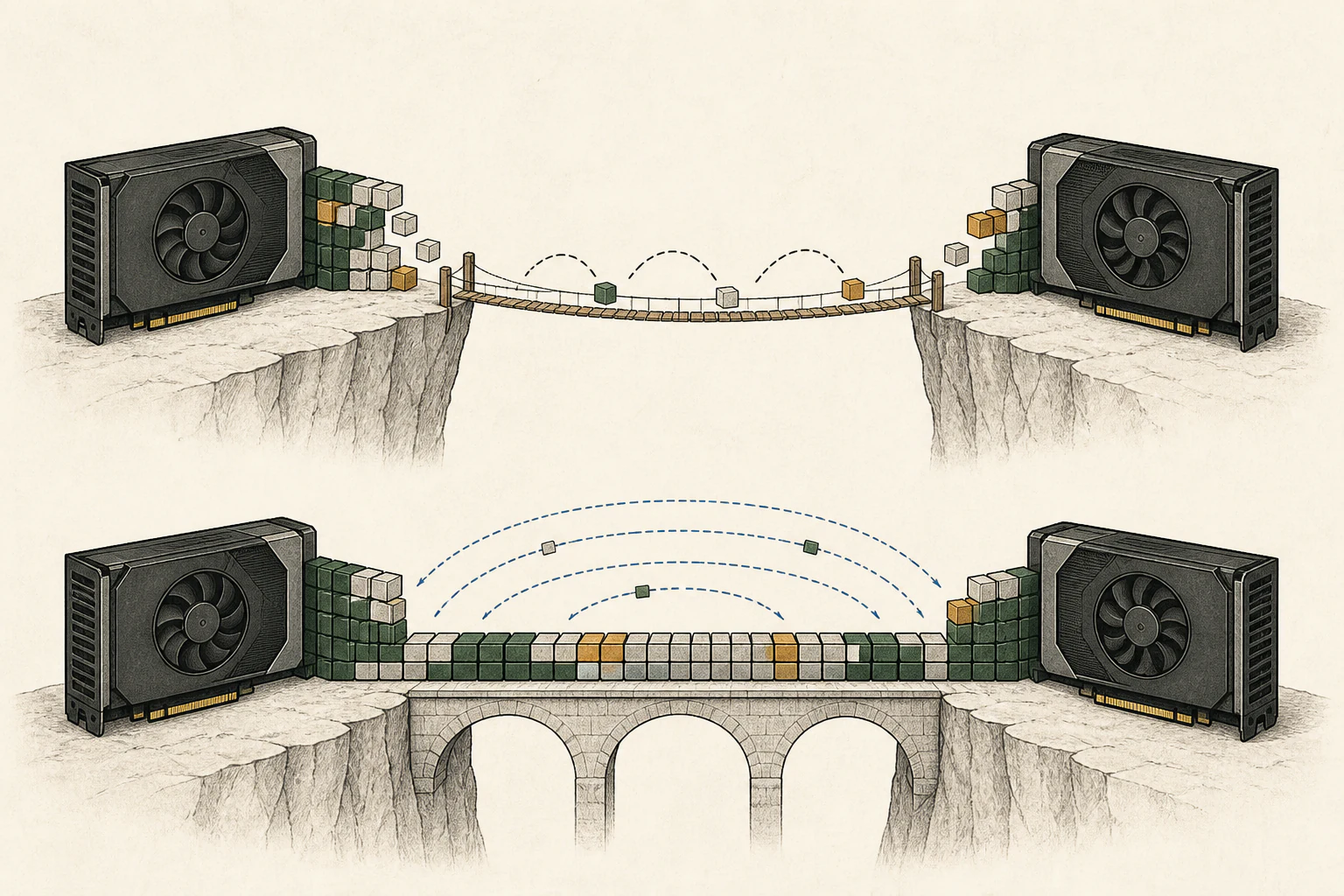
Model replicas distribute requests rather than one request's computation
If a model fits on one GPU, identical copies can be loaded on both cards to handle separate requests. This can help with team throughput or queues, but it does not split the computation for a single request, so one user's answer does not automatically get faster.
Layer or tensor splitting addresses a model that cannot fit on one card; replication addresses distribution across requests using the same model. Test each user's wait time and peak memory under concurrent requests, and inspect how the scheduler routes them. Aggregate throughput can rise while individual first-response latency or the longest wait remains high.
Check slots, power, cooling, and runtime support before buying
Do not decide based only on the number of motherboard slots. Card thickness may prevent side-by-side installation; check that the power supply and cables can support both cards and that the case has adequate airflow and cooling clearance. Noise and power during sustained operation also matter beyond the card price.
A multi-GPU setup has a clear rationale when a larger model is required and a supported partitioning path is confirmed. If the goal is speed for one person's model, compare interconnect and installation costs with a single-card alternative. Decide the application, model format, and whether you need partitioning or replication before buying.
Compare expert caching when splitting a large MoE
When an MoE6 does not fit entirely on GPUs, some expert weights stay in system RAM7 and are transferred when needed. llama.cpp's multi-GPU MoE cache keeps frequently used experts on the GPUs to reduce these transfers. If all weights already fit in GPU memory, start by comparing the ordinary split configuration.
| Setting | Prompt tok/s | Decode tok/s |
|---|---|---|
Baseline --fit | 440.7 | 34.78 |
--fit + expert cache | 402.0 | 60.38 |
| CPU experts + cache | 321.5 | 64.39 |
Development measurement · two RTX 4090s, layer split · Qwen3.8-Flash-Next Q4_0, 93.7 GiB including 65 GiB of experts · EPYC 7742, 16 threads, one NUMA node · SPEED-Bench qualitative, 11 inputs, one sample per category, output-length setting 512, temperature 0, concurrency one. Cache settings used the pre-merge per-GPU budget. Original measurement and final implementation
In this record, enabling the cache increased decode8 speed but reduced prompt-processing speed. Compare prefill9 as well if your goal is a quick first reply to a long document. Short inputs with long replies are more likely to benefit from the decode improvement.
In merged builds from b11507 onward, specify a total cache budget. For example, --moe-cache-mib 8192 --tensor-split 1,1 distributes approximately 4 GiB to each of two GPUs. Cache shares VRAM10 with weights, KV cache and working buffers, so check spare VRAM in your existing setup and start with a small budget.
Terminology notes
Runtime — The software environment that provides facilities needed while a program runs. In local AI, it can also refer to a model execution engine.
Back to the textThroughput — The amount of work processed or generated over time. Comparisons need the unit, such as tokens per second or requests per second.
Back to the textGPU — A processor designed to handle many calculations in parallel. It performs model computations during AI inference.
Back to the textKV cache — Memory that stores attention keys and values from earlier tokens for reuse during later token generation. Its size depends on context length and batch size.
Back to the textTensor parallelism — A method that splits matrices and computations within a model layer across devices for joint execution. Devices communicate to combine partial results.
Back to the textMoE — A model architecture that selects some of several expert subnetworks for each input. Total parameters can differ from the number activated for one token.
Back to the textSystem RAM — System memory that temporarily holds data while programs run.
Back to the textToken decoding — The stage that generates successive output tokens using the input and the response produced so far.
Back to the textPrefill — The stage where an LLM reads the input prompt and computes representations for its tokens. Longer prompts contain more tokens to process.
Back to the textVRAM — Memory used by a graphics card’s GPU to store model weights and intermediate values.
Back to the text
Frequently asked questions
- What should you check first in this article?
- Multi-GPU serving can partition one model across cards or place model replicas on separate cards to distribute requests. Two 24 GB GPUs have 48 GB of physical memory in total, but a request cannot use it as one pool unless the runtime distributes model and cache. Model capacity, single-answer latency, and team throughput need separate checks.
- How much memory does it need?
- Two 24 GB cards provide 48 GB of physical memory in total. But if an application uses only the first GPU, memory on the second does not help load a model on the first. The runtime must support distributing weights and in-use KV cache to use both cards for one larger model.