
Model setup recipes
Last updated
Qwen3.8 Flash-Next on DGX Spark: SGLang, PLE, and MTP recipe
Run Qwen3.8 Flash-Next on a single DGX Spark
Qwen3.8-Flash-Next takes prompts1 and long context and generates text. Reproducing this recipe on one DGX Spark requires a dedicated NVFP42 checkpoint3, a patch for offloading4 PLE5 tables to NVMe6, SGLang settings, and MTP7 values working together. Download and prepare the files, launch the server, then verify in logs that each path was applied.
First decide which configuration you are reproducing. The public script's 32K single-request profile and the long-context test use different memory fractions and prefill8 chunks. Matching model names do not make runtime9 conditions identical. This guide walks through installing the specialized PLE offload path and confirming that it is active.
Prepare the checkpoint and PLE offload path together
This recipe uses a specific NVFP4 checkpoint for Qwen3.8-Flash-Next. It does not mean every tensor is uniformly reduced to four bits. Some parts, including attention10 and MTP, retain higher precision, so check the complete file and actual loading behavior.
Spark's unified memory11 is shared by CPU12 and GPU13. The core of this setup is a dedicated mmap patch that keeps the large PLE table on NVMe and looks up needed entries. Adding options to stock SGLang does not create the same memory layout. The entire table need not remain in memory, but each request still incurs time to look up and move needed entries.
Review repository and patch versions and contents, and prepare them separately from a production environment. Temporary space is also needed for downloads and conversion. Use the script's guidance of about 140 GB or more of free NVMe space as a starting point, then verify the current download sizes. NVMe storage capacity is separate from memory needed for runtime page cache and other processes.
- Conditions for placing PLE tables in RAM and SSD
- DGX Spark 128GB local LLM baseline
- Context length, RoPE and sliding-window attention
- Prefill vs decode: should you look at TTFT or tok/s?
- How much VRAM or unified memory does a local LLM need?
- Create a 3D asset from one photo with TRELLIS.2
- Run a llama.cpp MTP Server on DGX Spark: Qwen3.6 Agent Requests
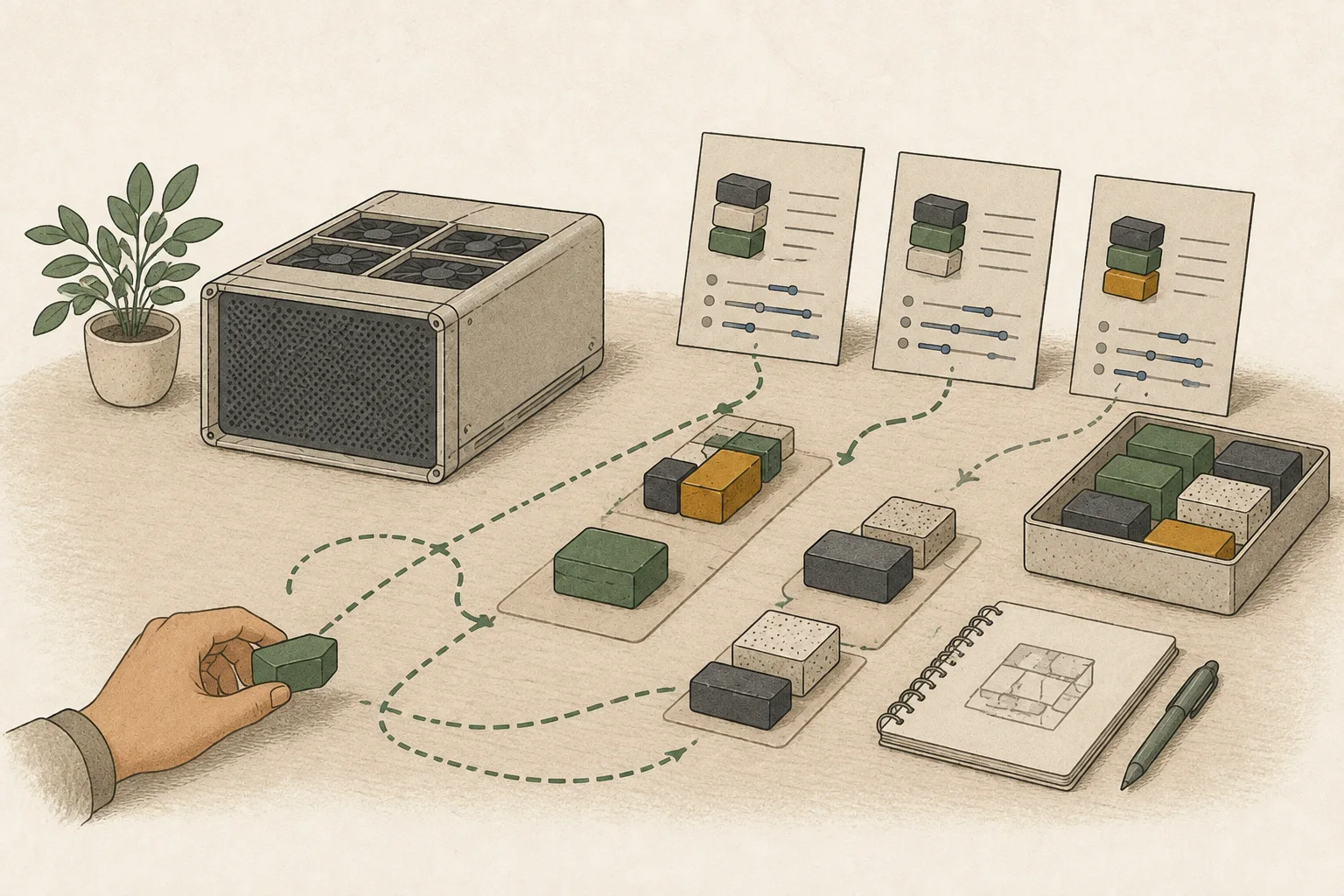
Start the server with the 32K single-request profile
The public script starts with TP 1, memory fraction 0.85, and prefill chunk 2,048. The prefill backend is Triton and the decode14 backend is trtllm_mha. MTP is configured as NEXTN with 3 steps, top-k 1, and 4 draft tokens15. These values define a profile to reproduce; they do not establish every condition of the original public measurement.
The first command block obtains the repository and weights, prepares the patched environment, and publishes the server port only on the local address. Docker and about 140 GB or more of free NVMe space are needed. After setup, use verify.py to check the server response. At launch, scripts/serve.sh reads the repository-provided settings, so verify the path to avoid mixing in a file from elsewhere.
Download and prepare in the first terminal. After starting the server, leave its log terminal running, open a second terminal in the repository folder and run python3 verify.py. The verification command at the end of the block belongs in that second terminal.
git clone https://github.com/hashd1ve/qwen38-flash-next-one-dgx-spark.git
cd qwen38-flash-next-one-dgx-spark

./scripts/download.sh
./scripts/prepare.sh
sed -i.bak 's/-p "$PORT":30000/-p "127.0.0.1:$PORT:30000"/' scripts/serve.sh
MEMFRAC=0.85 PREFILL=2048 CTX=32768 ./scripts/serve.sh
# In a second terminal opened in this repository folder:
python3 verify.py# Publish the Docker port only on 127.0.0.1:30000
--tp-size 1
--prefill-attention-backend triton
--decode-attention-backend trtllm_mha
--quantization modelopt_fp4
--ple-offload-embedding
--mamba-radix-cache-strategy extra_buffer
--mem-fraction-static 0.85
--chunked-prefill-size 2048
--max-running-requests 4
--speculative-algorithm NEXTN
--speculative-num-steps 3
--speculative-eagle-topk 1
--speculative-num-draft-tokens 4
--speculative-draft-model-quantization unquantFor long context, adjust the context limit and prefill chunk together
The long-context profile starts with memory fraction 0.79 and prefill chunk 1,024 to leave room at the memory peak. The published long-context measurement used memory fraction 0.85 and one request, so the command below does not exactly reproduce that measurement. Setting the context limit to 262,144 does not mean every device and document can handle that length reliably.
Verify normal operation with short input first, then increase it in stages such as 8K, 32K, and 128K. At each length, include a fact you know in the middle of the document and check that it is retrieved. A smaller prefill chunk can lower the memory peak but may reduce throughput16 for short inputs. Chunk size adjusts how much is processed at once; it does not remove input tokens, so also verify that evidence near the end reaches the answer.
A single-request profile is not a measurement of concurrent throughput. With more simultaneous requests, their prefill and KV caches share device resources. First check memory and time to first token17 at each context length18 with one request, then test concurrency separately if your real service needs it. CTX=262144 is the server's allowed maximum; record it separately from the actual input length sent.
If you need to find a decision date from the middle of a long meeting record, compare it with the source each time you increase input length. If the beginning is correct but a middle or later condition is missed, check not only server settings but whether the evidence was included in the input. A configurable context maximum and success on a real document task are different checks.
Before switching to the long-context setup, stop the old server with Ctrl+C in its terminal and confirm the container has exited too. The block assumes a new terminal in the repository's parent folder; skip cd if already inside the repository. Run verification from another terminal in the repository after the new server is ready.
# Run after completing the download, preparation, and local port setup above
# Server address: http://127.0.0.1:30000
cd qwen38-flash-next-one-dgx-spark
sed -i.bak 's/--max-running-requests 4/--max-running-requests 1/' scripts/serve.sh
MEMFRAC=0.79 PREFILL=1024 CTX=262144 ./scripts/serve.sh
# In a second terminal opened in this repository folder:
python3 verify.py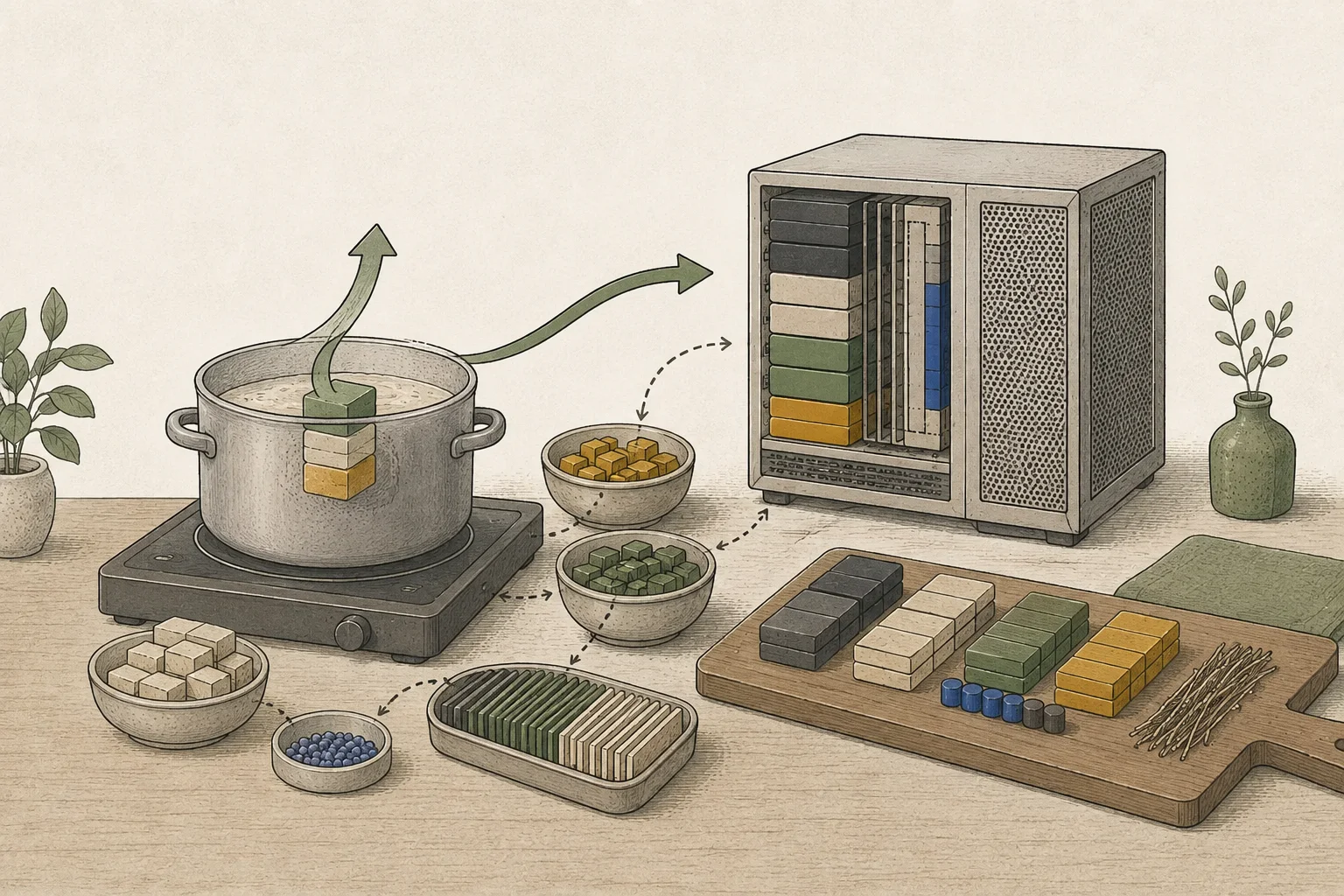
Verify the execution path and answer before comparing speed
After setup, check the runtime logs to see whether the intended NVFP4 checkpoint and PLE files were opened and whether the prefill and decode backends were selected. If the actual path differs from the configured values, the runtime may have used a default path. Verifying the applied settings first separates a missing patch from performance that differs on the intended path.
The maximum concurrent requests allowed by the public script is not the same as the number actually sent at once. First verify that the server processes the intended document with a single request. Check that the Docker port is published only on 127.0.0.1. For a shared server, configure access control and firewall rules separately.
The public run reported about 41.5 tok/s for English code and about 22.8 tok/s for Spanish general text. These results use different languages and answer types, so they are not directly comparable by subtraction or division. The 1,910 tok/s prefill figure is excluded because the source disclosed measurement contamination from reused input cache and cache-cleared repetitions were not complete. Tok/s describes generation under those conditions, not end-to-end completion time for a Korean PDF request.
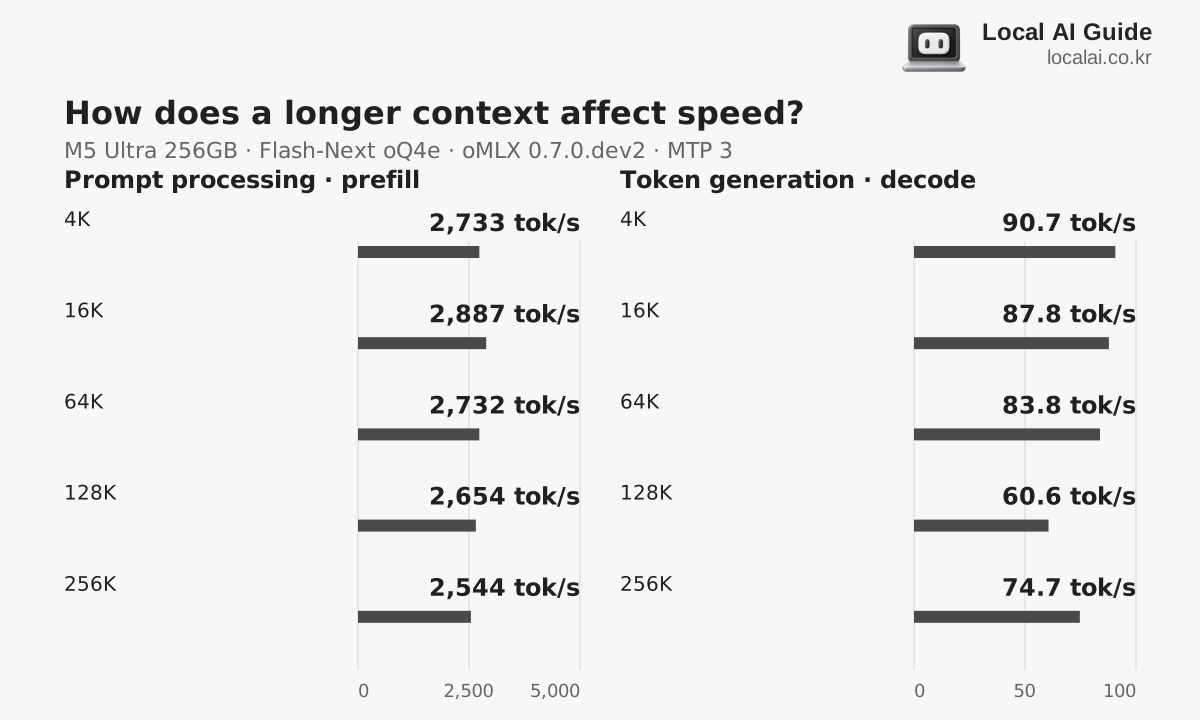
The table reports a separate oMLX 0.7.0 run using Qwen3.8-Flash-Next oQ4e, temperature 0, Lightning MTP, TurboQuant 8-bit KV, and aggressive memory guard. Each point is a single run on one Mac, so it is not directly comparable to the DGX Spark SGLang experiment.
Scroll sideways to compare all columns.
| Context | Prefill | Decode | Record |
|---|---|---|---|
| 4K | 4,949 tok/s | 143.8 tok/s | oMLX code_python, 128-token output budget |
| 16K | 5,701 tok/s | Not reported: model stopped before 16 tokens | One run at this point |
| 32K | 5,672 tok/s | 114.6 tok/s | M5 Ultra 256 GB, 80-core GPU |
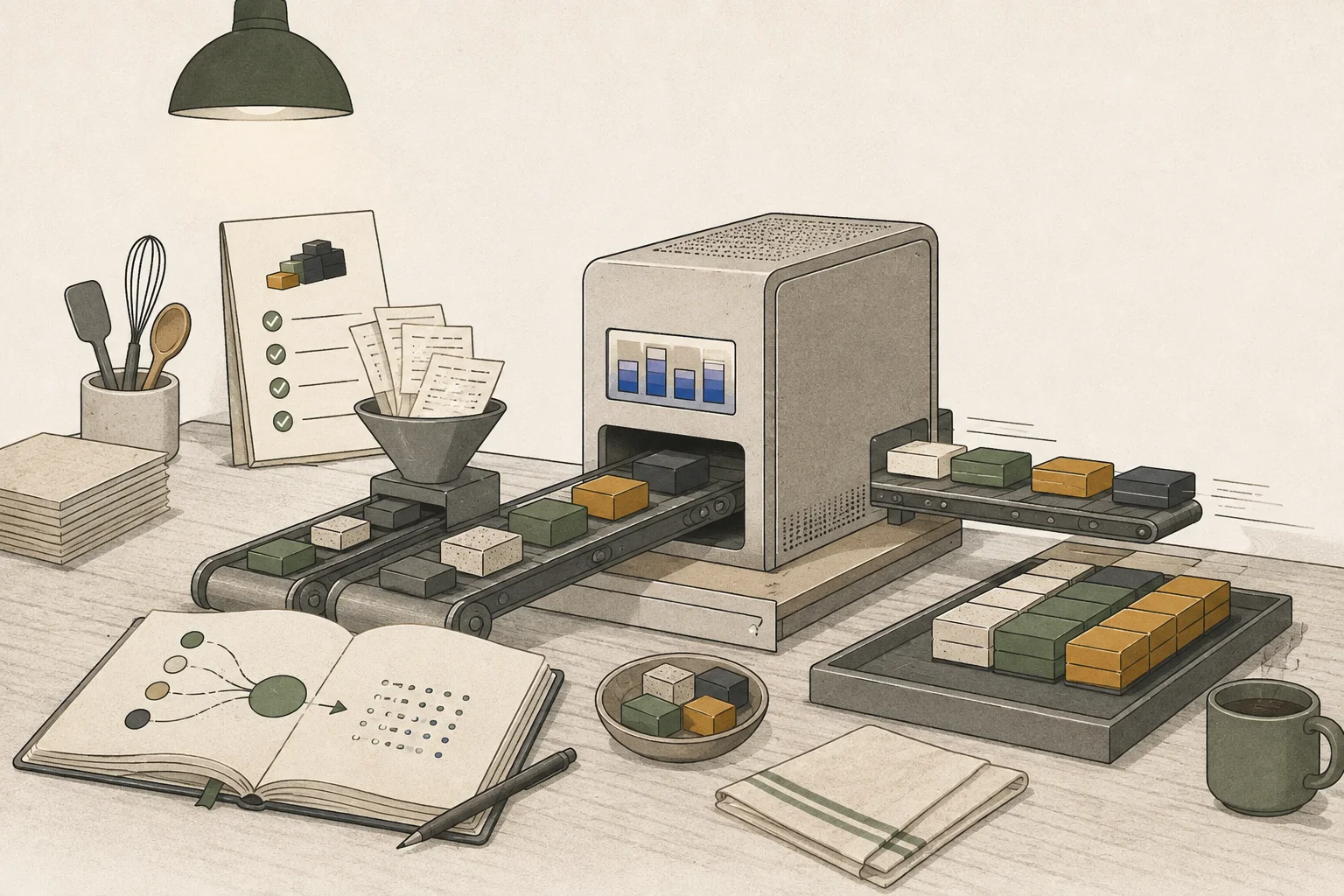
Use a real task to decide whether you need this recipe
Loading a large model on one Spark with a specialized patch and using it comfortably every day are different goals. Run your real document or code task and check end-to-end time and memory state. If one stable Spark configuration already completes the work, there is less reason to add a second device. If longer context or concurrent requests are essential, test those conditions separately.
Finally record the exact combination of NVFP4 file, PLE loading path, and runtime. Changing the model file can change how PLE is placed in memory and how much space is needed. When choosing an NVFP4 distribution for vLLM or SGLang, match the checkpoint format to what the runtime supports.
Check these details when running an NVFP4 distribution
How PLE tables are loaded in NVFP4 depends on the runtime and patch. On a single Spark node, check logs to verify that the dedicated offload path is active. When choosing a distribution for vLLM or SGLang, first check that the downloaded nvidia/Qwen3.8-Flash-Next-NVFP4 checkpoint matches the runtime.
Terminology notes
Prompt — The input text sent to a model. For generative models it describes the desired result and strongly shapes the output.
Back to the textNVFP4 — A 4-bit floating-point data format defined by NVIDIA. Support depends on GPU generation, model, and software implementation.
Back to the textCheckpoint — A file containing saved model weights and related state. Versions or tasks in one model family may use different checkpoints.
Back to the textOffloading — Moving some model data from GPU memory to system RAM or storage when capacity is limited. This adds data transfer.
Back to the textPLE embedding table — Short for Per-Layer Embedding, a structure that adds embedding information at particular model layers. The Qwen Flash-Next family uses n-gram tables; supported runtimes can offload these tables to RAM or SSD.
Back to the textNVMe — A storage protocol used by SSDs communicating over PCI Express.
Back to the textMTP — A training objective or model component for predicting multiple future tokens at once. In speculative decoding, those predictions can be proposed as candidate tokens.
Back to the textPrefill — The stage where an LLM reads the input prompt and computes representations for its tokens. Longer prompts contain more tokens to process.
Back to the textRuntime — The software environment that provides facilities needed while a program runs. In local AI, it can also refer to a model execution engine.
Back to the textAttention — A neural-network operation that calculates relationships between input tokens and combines information from each position into the current representation.
Back to the textUnified memory — An architecture where the CPU and GPU share one physical memory pool.
Back to the textCPU — The central processor that runs the operating system and general-purpose instructions; in AI workloads it also handles tasks such as preprocessing and data movement.
Back to the textGPU — A processor designed to handle many calculations in parallel. It performs model computations during AI inference.
Back to the textToken decoding — The stage that generates successive output tokens using the input and the response produced so far.
Back to the textToken — A unit into which a model divides input or output for processing.
Back to the textThroughput — The amount of work processed or generated over time. Comparisons need the unit, such as tokens per second or requests per second.
Back to the textTime to First Token — The time from sending a request until its first output token arrives.
Back to the textContext window — The token span of input and generated content a model can handle in one request. The supported limit and memory use depend on the model and runtime settings.
Back to the text
Frequently asked questions
- What should you check first in this article?
- Qwen3.8-Flash-Next takes prompts and long context and generates text. Reproducing this recipe on one DGX Spark requires a dedicated NVFP4 checkpoint, a patch for offloading PLE tables to NVMe, SGLang settings, and MTP values working together. Download and prepare the files, launch the server, then verify in logs that each path was applied.
- How much memory does it need?
- Spark's unified memory is shared by CPU and GPU. The core of this setup is a dedicated mmap patch that keeps the large PLE table on NVMe and looks up needed entries. Adding options to stock SGLang does not create the same memory layout. The entire table need not remain in memory, but each request still incurs time to look up and move needed entries.
Serving recipe
Settings for your hardware
For one user
Choose your hardware to see the launch command and settings you can adjust.
Profile
Apple Mac Studio M4 Max (128GB)
Memory fitsRecommended runtime: oMLX (4-bit MLX (a different format from GGUF Q4_K_M)) · Documented runtime settings
For your first run or reliable everyday use
Profile context length
8,192 tokens
A starting setup based on the runtime documentation. Follow the steps below and compare speed as you make changes.
Estimated decode speed
34.2 ~ 48.1 tok/s
Estimate for one user
Estimated TTFT
8.8 ~ 17.1 s
Prefill: 479 ~ 936 tok/s
Estimated memory use
About 107.55GB / 114GB
Remaining margin: approx. 6.5GB
Server address
http://127.0.0.1:8000
Local only · 127.0.0.1
Estimates use the calculator’s recommended quantization and acceleration with 8,192tokens. They are not measurements of the configuration above.
Settings in this profile
| Value | Why this setting |
|---|---|
| Weights4-bit MLX (a different format from GGUF Q4_K_M) | Use an MLX model directory. This is a different file format from Q4_K_M GGUF. |
| Check input length8,192 | Check the input limit in model settings before sending a request. This launch command does not set the context length. |
| KV cacheCheck model settings | This launch command does not set the KV cache precision. |
| Prefill batch sizeCheck runtime settings | Do not use llama.cpp's batch-size and ubatch-size values as substitutes for MLX settings. |
| Concurrent requests1 | Measure the speed of one request, separately from the combined throughput of multiple requests. |
| Memory headroom2 GB or more | After loading the model, check actual memory use and whether the system is swapping. |
Studio M4 Max 128GB Run command (oMLX)
MODEL_DIR="$HOME/.omlx/models"
omlx serve \
  --model-dir "$MODEL_DIR" \
  --host 127.0.0.1 \
  --port 8000 \
  --max-concurrent-requests 1 \
--memory-guard balancedChecks after startup
- 01Check the startup log for completed model loading and the actual context length.
- 02After warming up, send one request at a time. Use three different inputs of the same length to record fresh-input processing time.
- 03Record repeated-input results separately as cache-reuse runs. Do not combine them with fresh-input results.
- 04Record prefill tok/s, decode tok/s and peak memory together, then change one setting at a time.
Trade-offs
- Conservative context and concurrency settings may produce less than the hardware's maximum throughput.
Things to watch for
- Loaded memory depends on whether the PLE n-gram table is placed in RAM or on SSD. Choose context length using the placement and memory headroom shown in the speed screen.
Adjust one item at a time
Speed tuning, step by step
If several values are changed at once, it is difficult to find the cause.
- STEP 1
Save a baseline
Record first-input and cache-reuse runs separately, three times each. Compare prefill, decode and peak memory together.
When to stop: Do not move on if there are errors or less than 2GB of memory headroom.
- STEP 2
Tune prefill chunk size
Increase in steps of 1,024 → 2,048 → 4,096, comparing TTFT and peak memory on long inputs.
When to stop: Revert to the previous value if TTFT does not improve or peak memory rises sharply.
- STEP 3
KV Cache Tuning
Only when you need more context, compare Q8 cache against the F16/BF16 baseline using the same question.
When to stop: Keep the default precision if the output changes or you already have enough context.
- STEP 4
MTP/speculative decoding
Enable it only for supported models. Test code and prose separately, measuring acceptance rates and actual decode tok/s.
When to stop: Turn it off if the median of three runs does not improve on the baseline.
- STEP 5
Context expansion
Double context length at each step until you reach what you need. Check retrieval from the middle of the input and whether swapping occurs.
When to stop: Reduce by one step if retrieval accuracy drops or swapping or memory compression starts.
Submit a measurement from my hardware
Import a JSON file with at least three runs under the same conditions. The file stays in this browser until you submit it.
Include only hardware, model, runtime settings and measurements. Do not include prompts, responses, raw logs or file paths.
If you do not have a measurement file, use the tool with your running local server. It requires Node.js 20 or later and does not upload results automatically.
These are reviewed community submissions, not measurements made by this site.
Report a setup issue
Tell us where this setup failed. Only the site administrator can read your report.
Setup being reported · Studio M4 Max 128GB · Qwen3.8-Flash-Next · Balanced
Change log
These entries record changes to the site's guidance. They do not automatically check your installed engine or model version.
Aligned Flash-Next article and profile settings
The article now uses the published script's prefill chunk size of 2,048, and the long-context command limits requests to 1. The published measurements' language conditions are distinguished from conservative starting settings.
Corrected the single-Spark Flash-Next prefill claim
Removed the claim that 1,910 tok/s, which included cache reuse, represented prefill for an uncached input. The entry now calls for a new measurement without cache reuse.
Adjusted the Flash-Next long-context request limit
Reduced the running-request limit from four to one in the single-Spark 262K-context command. Added checks for incorrect output caused by older QSA patches.
Corrected model formats and runtime settings for Mac
Separated the Mac MLX path from GGUF Q4_K_M and aligned the engine name, model format and command. KV-cache precision and prefill batching that the command does not specify are now marked for checking in the model or runtime settings.
Also removed MLX speed profiles that implied a larger batch despite leaving the command unchanged.
Separated uncached-input and cache-reuse records
Updated the checks to record first-time inputs separately from repeated inputs. Cache effects are not folded into uncached prefill throughput or hardware differences.
Added saving and reopening hardware profiles
Runnable profiles can now be saved with their hardware selection in this browser, up to five entries, and reopened from the guide directory. A notice prompts you to recheck before running if the published settings have changed or the profile is no longer available.
Added links to runtime explanations
Engine names in the settings now link to the corresponding runtime guide. Paths without an identified engine are not linked to a guessed program.