
Executable programs and extensions
Last updated
SGLang HiCache: Spreading reusable KV across GPU, CPU and storage
Serve a local LLM and reuse repeated input with SGLang
SGLang is an LLM1 server that runs a model and generates answers to API2 requests. When the same instructions or document are supplied again, cached computation can shorten the wait for the first response. First check the server connection, then use HiCache to store cached state across GPU3 memory (L1), host memory (L2), and supported storage (L3).
A coding assistant explaining the same repository repeatedly may receive the same system instructions and earlier code. HiCache can retain computed KV state for that shared input beyond GPU memory for reuse. Compare first requests with new code or documents separately from follow-up questions.
Spark, PC, and Mac use different installation paths
SGLang on a typical NVIDIA server requires a compatible Linux, CUDA4, PyTorch5, and GPU-kernel combination. Use a separate environment rather than overwriting an existing Python setup, and record versions. DGX Spark needs a build supporting ARM64 CPU6 and Blackwell GPU; do not reuse an x86 image unchanged.
On a Mac, prepare the separate MLX7 execution path using SGLANG_USE_MLX=1 and check the MLX model and supported features. Image/video diffusion uses a separate MPS path. When choosing instructions, distinguish text-LLM serving from diffusion.
Verify server and API connectivity with a small model first
Before enabling extra acceleration, confirm that Qwen2.5-0.5B-Instruct answers a prompt8. Context limit 4096 and one concurrent request are connectivity-test settings, not peak-speed recommendations. Record first-time model download separately from server preparation and inference9 response.
Wait for the server to finish preparing the model, then send a short prompt with curl. 127.0.0.1 is a loopback address for this computer, and an app can use the OpenAI-compatible endpoint http://127.0.0.1:30000/v1. A response establishes connectivity, not quality or speed for a larger model.
python3 -m sglang.launch_server \
  --model-path Qwen/Qwen2.5-0.5B-Instruct \
  --host 127.0.0.1 --port 30000 \
--context-length 4096 --max-running-requests 1curl --fail-with-body http://127.0.0.1:30000/v1/chat/completions \
-H "Content-Type: application/json" \
-d '{"model":"Qwen/Qwen2.5-0.5B-Instruct","messages":[{"role":"user","content":"Explain what a local AI server does in two sentences."}],"max_tokens":64,"temperature":0}'
Radix cache and HiCache reuse shared prefixes
The first code request reads system instructions and code to create KV cache10. If a follow-up adds only test output and earlier text matches, Radix cache can reuse the shared prefix state. As code or instructions change, the matching prefix becomes shorter; a new document needs a new prefill11.
HiCache can retain this computed state in host memory and storage beyond the GPU. When GPU space becomes tight, reusable state can remain in another tier. Model weights stay in the model's execution path; the cache stores computation from input already processed.

Distinguish GPU, host-memory, and storage tiers
HiCache L1 is GPU memory, L2 host memory, and L3 a file or external storage backend. State retained on the GPU can be reused quickly, but may be evicted to host tier when space is needed. A file in L3 is reusable only when the prefix key and model conditions match a later request.
CPU tier increases storage capacity but adds host bandwidth and transfers. A file backend adds NVMe12 reads, page cache, and index management to the request path. Files surviving shutdown is different from an immediate cache hit.
SGLang 0.5.20 describes SWA and Mamba hybrid HiCache support in UnifiedTree; a change to default connection for that hybrid path is recorded in 0.5.13. This does not imply compatibility across all model, hardware, and storage-backend combinations, so verify architecture support.
Start with host cache and verify runtime status
This connectivity baseline uses SGLang 0.5.20 with NVIDIA CUDA and openai/gpt-oss-20b. Check the official model card and support guide to confirm GPU memory is sufficient. Context 8192 and one concurrent request are test settings. Enabling --enable-hierarchical-cache and --hicache-ratio 2 does not guarantee twice the data size; inspect the actual pool in startup logs.
Once the server starts, check /health and a chat completion using the same model ID. Record the first answer and cold state separately, and inspect model load, cache pool, and CUDA initialization logs. This request is not a speed test, so do not add file tier and concurrency all at once.
Before starting the host-cache server, stop the earlier baseline with Ctrl+C in its terminal. Both examples use port 30000. Once the new model and cache pool are ready, send the health check and question below from another terminal.
python -m sglang.launch_server --model-path openai/gpt-oss-20b --host 127.0.0.1 --port 30000 --context-length 8192 --max-running-requests 1 --enable-hierarchical-cache --hicache-ratio 2 --hicache-io-backend kernel --hicache-mem-layout page_firstcurl -sS http://127.0.0.1:30000/health
curl -sS http://127.0.0.1:30000/v1/chat/completions -H 'Content-Type: application/json' -d '{"model":"openai/gpt-oss-20b","messages":[{"role":"user","content":"Review this Python function for empty-list input and suggest a minimal fix: def first_item(items): return items[0]"}],"temperature":0,"max_tokens":96,"stream":false}'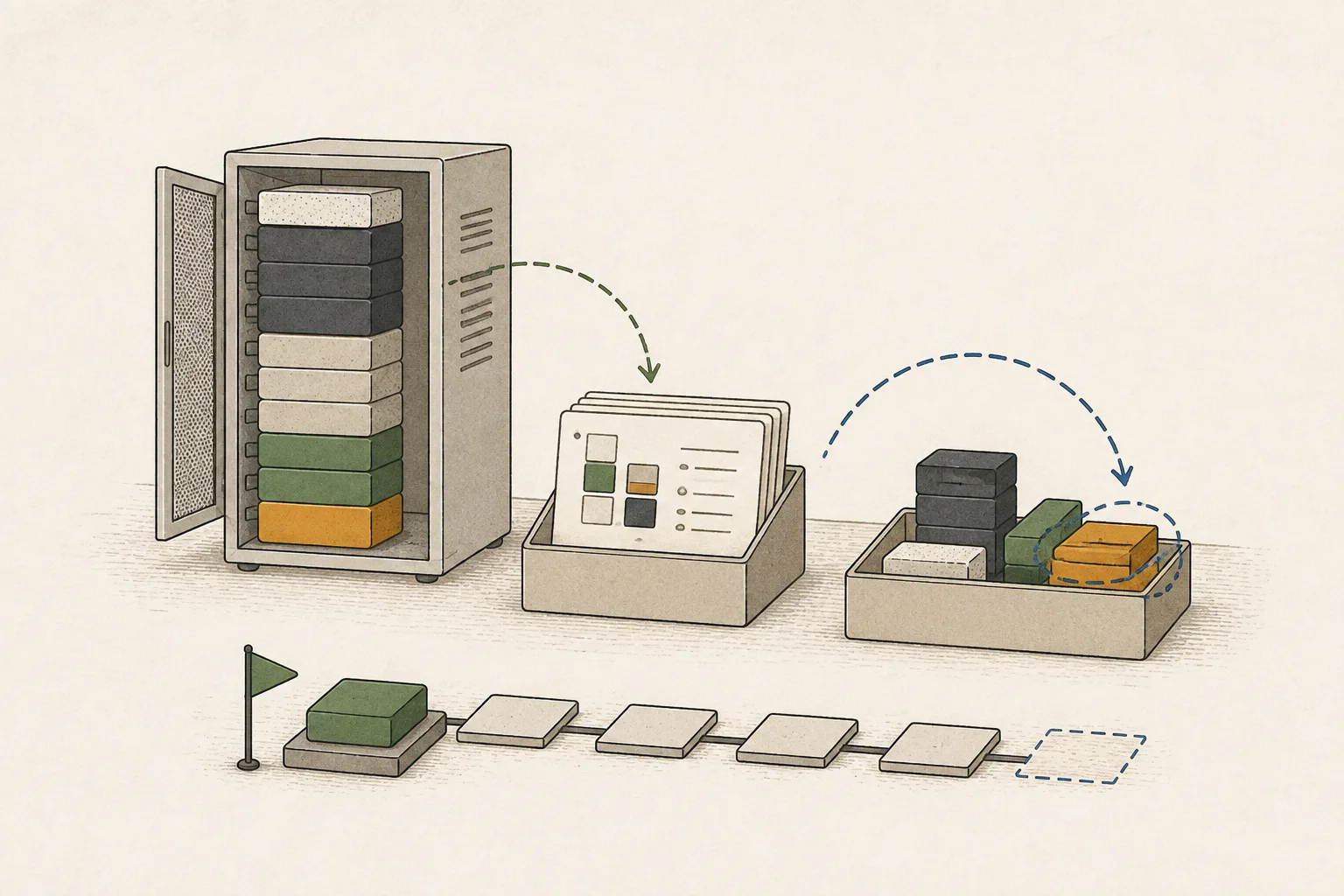
Measure shared-prefix, new-document, and post-eviction cases separately
After the first function request, add one test-log line to the same conversation. Check cache statistics for hit tokens13 or reused prefixes, then compare with a new-input case using a different function and log. Input length affects computation, so do not compare completion times alone across different requests.
For a file-tier test, use a separate NVMe path and verify that the SGLang file backend is connected. SGLANG_HICACHE_FILE_BACKEND_STORAGE_DIR specifies cache-file location, not model downloads or OS swap.
Test cold and warm requests separately. Also record a request after restoring an entry evicted from GPU memory and a request after eviction.
Check NVMe reads, the page cache, and whether the cache key matches. Confirm hit statistics before concluding that the storage tier reused the state.
The file-tier test restarts the host-cache server with a changed configuration. Stop it with Ctrl+C, set the cache directory and run the command below. Record the first request after restart separately from the repeated input to compare cache reuse.
mkdir -p /mnt/nvme/sglang-hicache
export SGLANG_HICACHE_FILE_BACKEND_STORAGE_DIR=/mnt/nvme/sglang-hicache
python -m sglang.launch_server --model-path openai/gpt-oss-20b --host 127.0.0.1 --port 30000 --context-length 8192 --max-running-requests 1 --enable-hierarchical-cache --hicache-ratio 2 --hicache-io-backend kernel --hicache-mem-layout page_first --hicache-storage-backend fileCheck SWA and Mamba state in hybrid attention too
Models with sliding-window attention14, such as GPT-OSS, do not reuse all token state in one uniform way. Even if a FULL-attention prefix remains, missing window state can prevent a direct hit. SGLang UnifiedTree manages hybrid components and 0.5.20 documents SWA/Mamba hybrid HiCache, but support is not universal across models and backends.
Separate new-prefix, same-prefix, and post-eviction requests. Record context length15, cache hits, TTFT16, completion time, host RAM17, and NVMe I/O. Distinguish a warm cache still on GPU from a request reloaded from L3.
HiCache differs from MTP and NGRAM
MTP18 proposes candidate next tokens; NGRAM19 speculative decoding20 finds candidates from prior tokens. PLE21 offload22 stores and loads large embedding tables from RAM or SSD23. HiCache retains shared-prefix computed state for reuse, so keep these configurations separate.
SGLang MTP speculative configuration requires a model-appropriate algorithm, depth, and width. NEXTN is used as an alias for EAGLE in documentation, but that does not mean all Qwen, Gemma, and GLM files support the same command. Verify version and model support and enable features one at a time.
Radix-cache input reuse and MTP/NGRAM candidate verification act at different stages. A faster second request does not show which feature worked, so compare statistics and response segments for each separately.
Record official support references for the version in use
Check installation and support conditions in the SGLang 0.5.13 and 0.5.20 releases and HiCache design document. For reproduction, record model ID, SGLang version, GPU, and backend.
Terminology notes
Large language model — A model trained on large text datasets to learn language patterns and process or generate text in context.
Back to the textAPI — A defined interface that lets other code call a program’s functions.
Back to the textGPU — A processor designed to handle many calculations in parallel. It performs model computations during AI inference.
Back to the textCUDA — A software platform for general-purpose computing on NVIDIA GPUs.
Back to the textPyTorch — A software framework for building and running AI models. Check the compatible PyTorch version and hardware support along with the model.
Back to the textCPU — The central processor that runs the operating system and general-purpose instructions; in AI workloads it also handles tasks such as preprocessing and data movement.
Back to the textMLX — Apple’s machine-learning framework, which runs models using memory shared by the CPU and GPU on Apple Silicon.
Back to the textPrompt — The input text sent to a model. For generative models it describes the desired result and strongly shapes the output.
Back to the textInference — The process of using a trained model to compute an output for an input. Here, local inference means running the model on the user’s device.
Back to the textKV cache — Memory that stores attention keys and values from earlier tokens for reuse during later token generation. Its size depends on context length and batch size.
Back to the textPrefill — The stage where an LLM reads the input prompt and computes representations for its tokens. Longer prompts contain more tokens to process.
Back to the textNVMe — A storage protocol used by SSDs communicating over PCI Express.
Back to the textToken — A unit into which a model divides input or output for processing.
Back to the textAttention — A neural-network operation that calculates relationships between input tokens and combines information from each position into the current representation.
Back to the textContext window — The token span of input and generated content a model can handle in one request. The supported limit and memory use depend on the model and runtime settings.
Back to the textTime to First Token — The time from sending a request until its first output token arrives.
Back to the textSystem RAM — System memory that temporarily holds data while programs run.
Back to the textMTP — A training objective or model component for predicting multiple future tokens at once. In speculative decoding, those predictions can be proposed as candidate tokens.
Back to the textN-gram — A sequence of n consecutive tokens or items. N-grams may be used for context lookup or speculative generation, and may also form the entries of embedding tables in some models.
Back to the textSpeculative decoding — A generation method in which a draft model, MTP head, or repeated-context lookup proposes output candidates for the main model to verify and accept.
Back to the textPLE embedding table — Short for Per-Layer Embedding, a structure that adds embedding information at particular model layers. The Qwen Flash-Next family uses n-gram tables; supported runtimes can offload these tables to RAM or SSD.
Back to the textOffloading — Moving some model data from GPU memory to system RAM or storage when capacity is limited. This adds data transfer.
Back to the textSSD — A data storage device that uses flash memory and retains data without power.
Back to the text
Frequently asked questions
- What should you check first in this article?
- SGLang is an LLM server that runs a model and generates answers to API requests. When the same instructions or document are supplied again, cached computation can shorten the wait for the first response. First check the server connection, then use HiCache to store cached state across GPU memory (L1), host memory (L2), and supported storage (L3).
- How much memory does it need?
- HiCache can retain this computed state in host memory and storage beyond the GPU. When GPU space becomes tight, reusable state can remain in another tier. Model weights stay in the model's execution path; the cache stores computation from input already processed.
- Where can you check the conditions and sources?
- This connectivity baseline uses SGLang 0.5.20 with NVIDIA CUDA and openai/gpt-oss-20b. Check the official model card and support guide to confirm GPU memory is sufficient. Context 8192 and one concurrent request are test settings. Enabling --enable-hierarchical-cache and --hicache-ratio 2 does not guarantee twice the data size; inspect the actual pool in startup logs.
Change log
These entries record changes to the site's guidance. They do not automatically check your installed engine or model version.
Added SGLang cache and model-specific option guidance
Added local-server connection examples and steps for adjusting memory at the prefill and decode stages. It separates cache effects from repeated inputs and explains that NGRAM candidate lookup and placing PLE tables in RAM or on SSD are different features.