
Executable programs and extensions
Last updated
Which local LLM app or serving engine should you start with?
Choose a local LLM runtime by the task you need
A local LLM1 runtime2 loads a model file and generates answers on your computer. Some tools provide a chat interface, while others offer an API3 server that an editor or document app can call.
After choosing a model, you still need to choose among tools such as Ollama, LM Studio, llama.cpp, oMLX, MTPLX, vLLM, and SGLang. Which performs better depends on model files, hardware, input length, and concurrency. In particular, one user's wait time and a server's ability to handle many requests cannot be ranked by the same measure.
Decide whether to start or change an existing setup
If you have not run a local model yet, start with an Ollama or LM Studio guide. If you already use a model on Mac, check whether oMLX or MTPLX supports its file; also distinguish specialized runtimes such as Husky for Woof. A peak speed reported for another model cannot be applied as a multiplier to yours.
| Tool | When to consider it | Prepare first |
|---|---|---|
| Ollama | Managing models by name and connecting a local API | Supported model name and tag |
| LM Studio | Choosing a model and chatting in a graphical interface | A model file suitable for the hardware |
| llama.cpp | Managing GGUF files and server options directly | GGUF file and backend settings |
| oMLX | Managing MLX models and caching repeated inputs on a Mac | A supported MLX model |
| MTPLX | Using MTP with a supported model on a Mac | Model and MTP support requirements |
| vLLM·SGLang | Continuously serving requests from multiple apps or users | GPU, model format, and concurrency settings |
Distinguish a document chat app from an API for other apps
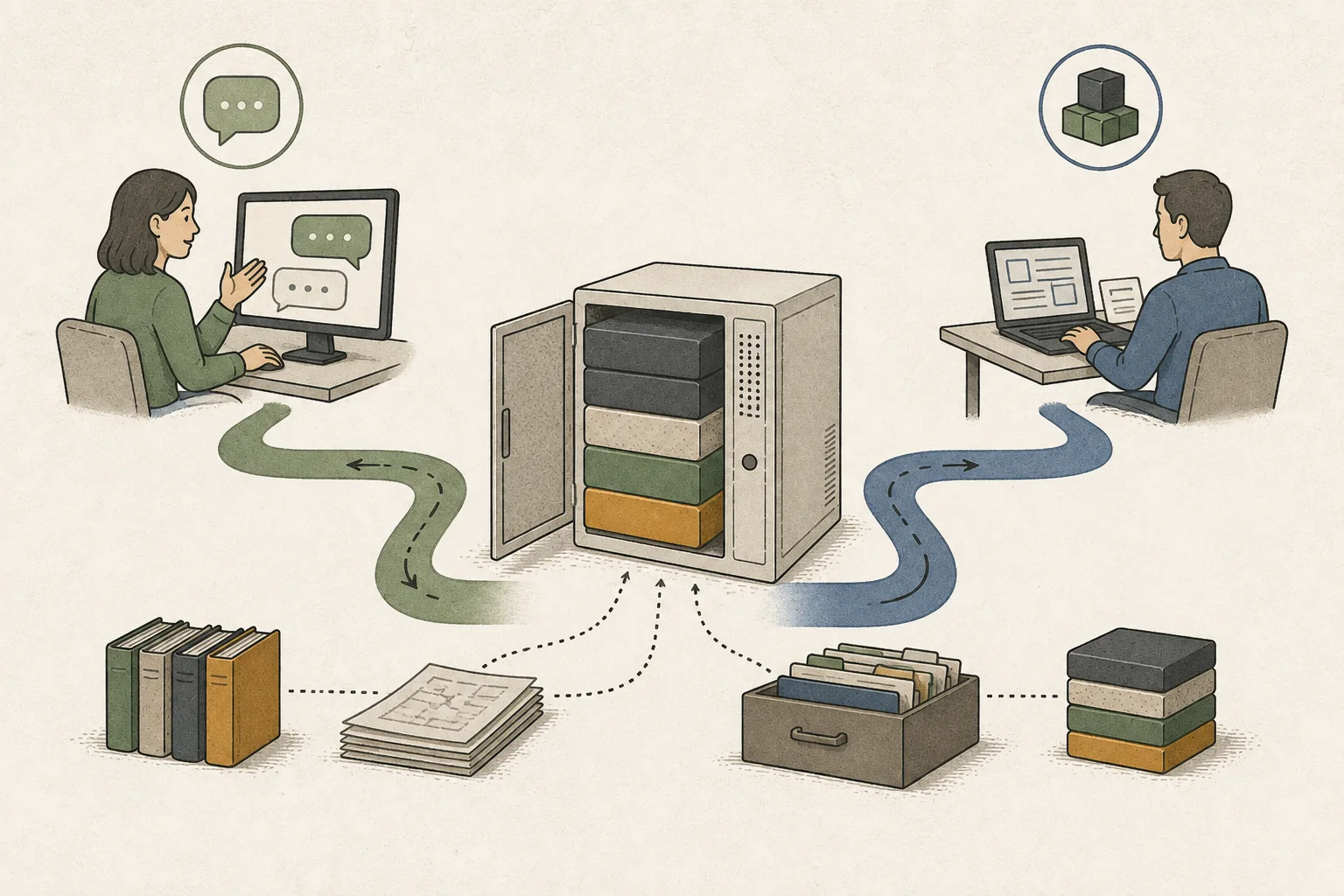
If you want to find a renewal date in a personal PDF, first choose an application that can open the file and accept questions. LM Studio makes it easy to inspect models and runtime status in a chat interface; Ollama makes it simple to manage models by name and connect a local API. PDF text extraction and retrieval of relevant passages are application features, not consequences of choosing an engine.
Include the date and exception in your question, then check the answer against the source document. See whether the app sends the supporting passage to the model and preserves its location. If that step is missing, a faster engine will not recover the missing source.
To use the same model from another program, check that the server responds and that the API address and port match the client settings. ‘OpenAI-compatible’ is a starting point; check separately that the client’s required features are supported.
On Mac, check the model file format first
The same Qwen model name may refer to a GGUF4 file or an MLX5 conversion for Apple Silicon. Even if both are labeled 4-bit, their quantization6 methods and retained weights may differ. Check the model format first; changing the file and application together makes it hard to identify why results changed.
For MLX on Mac, consider oMLX or MTPLX. oMLX is relevant for model management and repeated-input caching; MTPLX is worth checking when a supported model includes MTP7 and may reduce generation wait. Compare the model format and supported features in each guide. If your current application already handles the PDF task, there is no need to install runtimes you will not test.
Consider llama.cpp when you want direct control of runtime settings
If you need to control the file alias, context length8, GPU9 layers, or concurrent slots beyond application defaults, consider the llama.cpp server. You also take over model-file and option management normally handled by an application. Start with one GGUF file and a short question, then try the actual PDF to keep checks incremental.
Recording the file and options lets you compare whether a PDF causes memory pressure, delayed first output, or longer generation. If you intended to use a GPU, confirm the selected backend in the status screen or logs. A run on GPU versus one on CPU10 is not a like-for-like runtime comparison.

When requests queue, examine server scheduling
For one person asking about a PDF, the start and completion time of a single answer matter. If an editor and document application call the server at once, one request may wait for another to finish. Then scheduling and aggregate throughput11 matter. vLLM and SGLang are worth considering for serving ongoing multi-request workloads; a personal chat use case does not need extra complexity merely because a runtime has more features.
With multiple GPUs, first decide whether to partition weights across devices or load replicas and route requests between them. The runtime and hardware connection must support the chosen path. DGX Spark uses ARM64, so do not assume installation commands for a standard PC apply unchanged. Use short examples to verify connectivity and device-specific guides for large-model formats and distributed settings.
Compare using the same PDF before switching runtimes
Give the current and candidate applications the same PDF, question, and output length; match model files and quantization where possible. Separate initial model loading from repeated-chat latency, and record first-open and reopened-document cases separately. Measure time to first token12 and time to completion independently, and check that the relevant clause and evidence remain in the answer.
Do not change PDF-grounded questions, short chat, and editor requests all at once. A faster model does not replace the workflow if it omits evidence or fails tool calls13. For document chat, consider LM Studio or an Ollama-compatible application; for connecting other software, an API server; for direct runtime control, llama.cpp; and for sustained queues, vLLM or SGLang. Keeping a setup that already completes the work is also a valid choice.
Terminology notes
Large language model — A model trained on large text datasets to learn language patterns and process or generate text in context.
Back to the textRuntime — The software environment that provides facilities needed while a program runs. In local AI, it can also refer to a model execution engine.
Back to the textAPI — A defined interface that lets other code call a program’s functions.
Back to the textGGUF — A file format for model data, widely used by llama.cpp-based tools.
Back to the textMLX — Apple’s machine-learning framework, which runs models using memory shared by the CPU and GPU on Apple Silicon.
Back to the textQuantization — A way to represent model weights or values with fewer bits, reducing storage and memory use. The coarser representation can also affect accuracy.
Back to the textMTP — A training objective or model component for predicting multiple future tokens at once. In speculative decoding, those predictions can be proposed as candidate tokens.
Back to the textContext window — The token span of input and generated content a model can handle in one request. The supported limit and memory use depend on the model and runtime settings.
Back to the textGPU — A processor designed to handle many calculations in parallel. It performs model computations during AI inference.
Back to the textCPU — The central processor that runs the operating system and general-purpose instructions; in AI workloads it also handles tasks such as preprocessing and data movement.
Back to the textThroughput — The amount of work processed or generated over time. Comparisons need the unit, such as tokens per second or requests per second.
Back to the textTime to First Token — The time from sending a request until its first output token arrives.
Back to the textTool call — A structured request from a model for an external function such as reading a file, searching, or running a command. The agent runtime and its permission settings decide whether the request is actually executed.
Back to the text
Frequently asked questions
- What should you check first in this article?
- A local LLM runtime loads a model file and generates answers on your computer. Some tools provide a chat interface, while others offer an API server that an editor or document app can call.
Change log
These entries record changes to the site's guidance. They do not automatically check your installed engine or model version.
Added a guide to choosing a runtime
Added an article explaining the different roles of Ollama, LM Studio, llama.cpp, oMLX, MTPLX, vLLM and SGLang. It distinguishes chat apps from API servers and single-response latency from multi-request throughput, with links to each engine guide.