
Response speed and acceleration
Last updated
SpecPrefill: reducing the wait before the first token
Select useful tokens from long inputs to start answers sooner
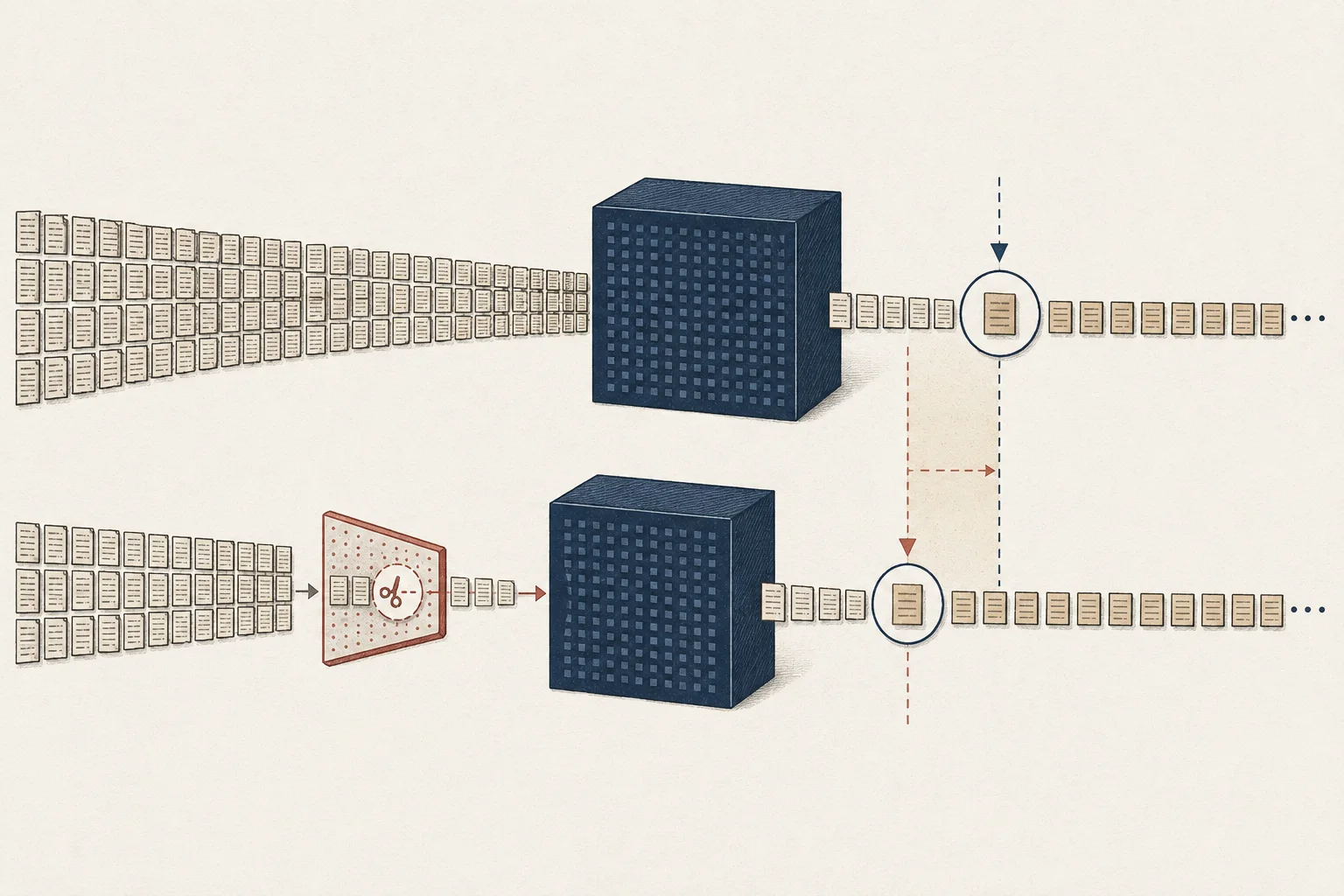
SpecPrefill1 is an experimental optimization that uses assistance such as a smaller model to select which tokens2 of a long input the main model processes. It aims to reduce input work and time to first token3. Test on repositories or long documents, comparing selection time and answer quality.
When you send a repository with error logs, the model reads that input before writing code. SpecPrefill is worth testing when this prefill4 takes a long time. Selection adds work, so repeated long-input tasks are more relevant than short questions.
Select input before the main model processes it
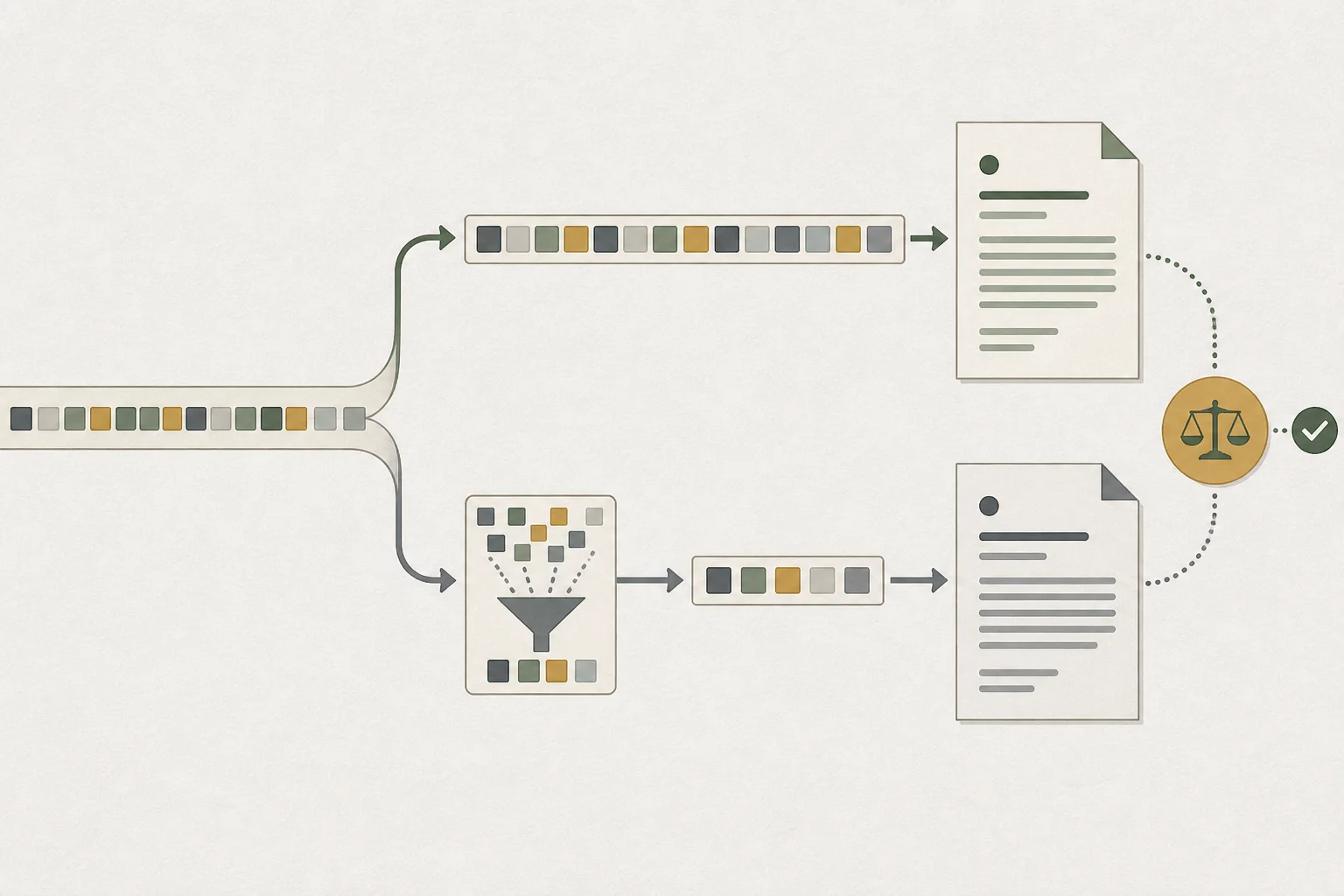
A request to handle empty input may need the function, failing caller, and existing tests together. SpecPrefill adds a selection stage before main-model processing. Those details must remain for the main model to understand their relationship.
The gain is main-model time saved minus selection time added. Short questions may offer little input to remove. Record main/draft loading separately and compare requests with both models ready.

Cache and decoding acceleration address other stages
Prompt5 caching reuses previously computed shared input. SpecPrefill selects tokens from the current input; MTP6 proposes next tokens while generating answers. The relevant stage depends on whether the delay is before the first answer or during generation.
Use the same repository and request, recording cache state. If only the baseline retains a prefix cache, caching affects the comparison. If you cannot clear it, record the observed state rather than assuming a cold run. Separate TTFT from decoding7 speed to identify changes.
Match oMLX draft and MTP combinations on Mac
An oMLX SpecPrefill drafter must use the main model's tokenizer. Choose an allowed combination, verify a short request, then test longer input. Draft implementations can differ despite similar model names, so check settings and request logs.
Native MTP and the Lightning path with a merged Gemma assistant can be configured separately from SpecPrefill. VLM MTP using an external assistant cannot run simultaneously with it. Test SpecPrefill alone, then add supported MTP and compare generation as well.
The site's Mac simulation uses approximate estimates. No multiplier is applied to unverified NVIDIA target/draft combinations. Base your choice on runtime8 support and results on the same request.
Compare time and answer results together
The table is an illustrative assumption. Baseline prefill takes 30 seconds, generation 20, and review 10, totaling 60. Even if selection reduces prefill, reviewing missing code can offset the gain. Loading time is outside the table.
| Stage | Baseline | SpecPrefill example |
|---|---|---|
| Input selection | 0 s | 5 s |
| Main-model prefill | 30 s | 15 s |
| Answer generation | 20 s | 20 s |
| Code review | 10 seconds | 20 s |
| Total work time | 60 s | 60 s |
Compare return values for normal and empty strings and the caller's expectations on the same edit request. Test relevant code located at the beginning, middle, and end of the repository to detect omissions. If the runtime exposes selected tokens, inspect the retained spans too.
Apply it where required evidence is retained
For file-discovery requests, a person can reopen candidate files. Apply-ready code edits have greater consequences when callers or interfaces are missing. Rather than using one selection setting everywhere, complete a representative request through testing and review.
Keep the setting for tasks with earlier answers and retained results. If omissions appear, adjust selection or return to baseline and compare again. Expand from validated model/draft combinations to reduce waiting while preserving verification.
Terminology notes
SpecPrefill — A technique that uses a lightweight model to score input tokens and passes selected tokens to the main model to reduce prefill work. Since the main model does not read omitted context, token selection changes which information can shape the answer.
Back to the textToken — A unit into which a model divides input or output for processing.
Back to the textTime to First Token — The time from sending a request until its first output token arrives.
Back to the textPrefill — The stage where an LLM reads the input prompt and computes representations for its tokens. Longer prompts contain more tokens to process.
Back to the textPrompt — The input text sent to a model. For generative models it describes the desired result and strongly shapes the output.
Back to the textMTP — A training objective or model component for predicting multiple future tokens at once. In speculative decoding, those predictions can be proposed as candidate tokens.
Back to the textToken decoding — The stage that generates successive output tokens using the input and the response produced so far.
Back to the textRuntime — The software environment that provides facilities needed while a program runs. In local AI, it can also refer to a model execution engine.
Back to the text
Frequently asked questions
- What should you check first in this article?
- SpecPrefill is an experimental optimization that uses assistance such as a smaller model to select which tokens of a long input the main model processes. It aims to reduce input work and time to first token. Test on repositories or long documents, comparing selection time and answer quality.