
Agents and automation
Last updated
Can you run a Jev-like decision model on your PC? A guide to d1-3B and d1-omni
Define questions and choices in advance, then d1 returns decisions and probabilities for text, image, or audio state in one pass.
Liquid AI's d1 models handle repeatable decisions such as classification, routing, and scoring rather than continuing a chat. d1-3B accepts text and images; the experimental d1-omni-600M accepts text with either images or audio. Run a GGUF1 model with llama.cpp, send state and questions to /v1/systemone, and receive choices and probabilities as JSON.
Define a question and choices, and d1 returns a decision
Suppose you need to route a customer message to billing, technical support, or fraud review. Send the message as state with a question and choices for the responsible team. d1 returns the selected choice and probabilities as JSON, which your application can use to route the case to the next step.
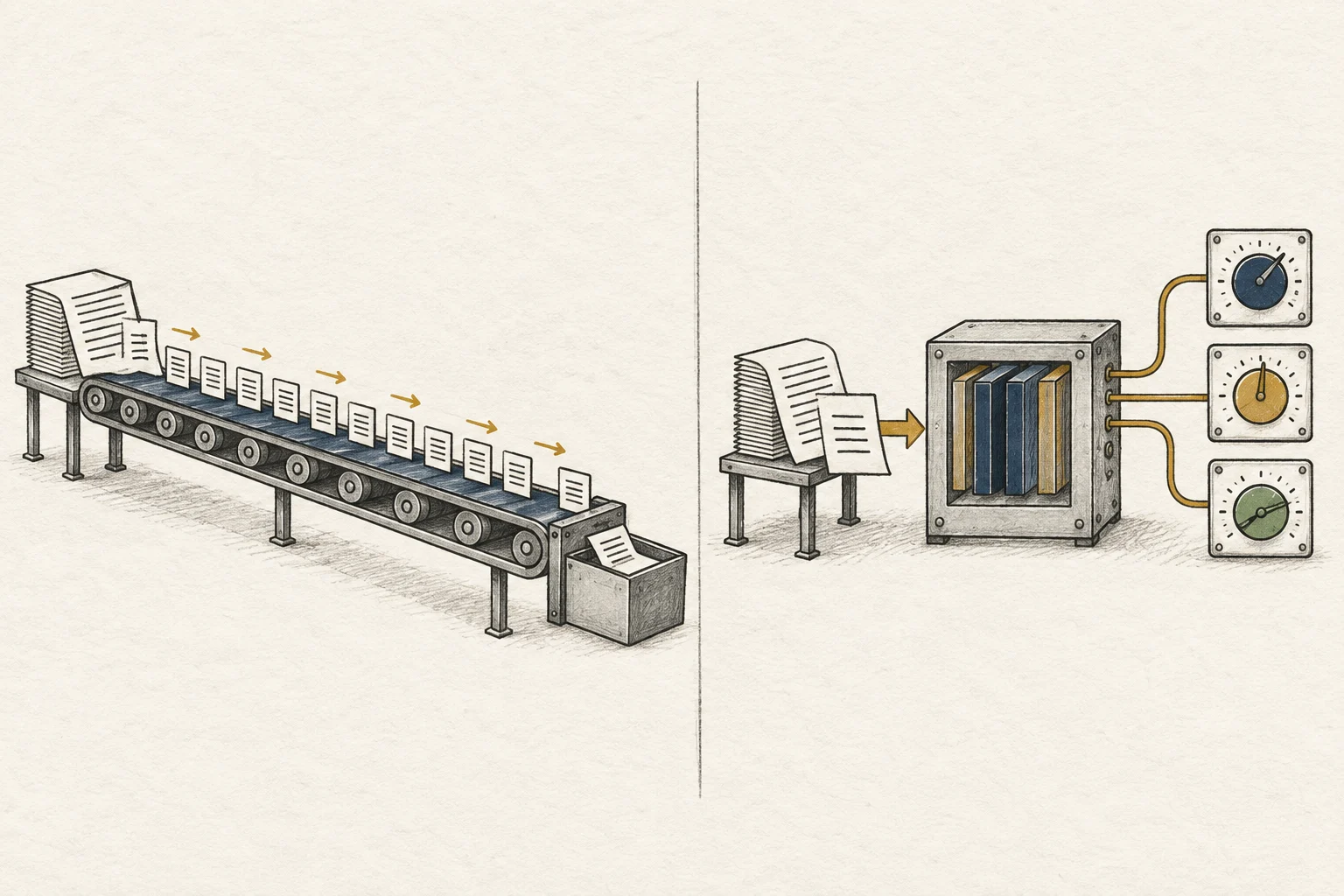
Liquid AI introduced d1-3B and d1-omni-600M on October 7, 2026, as decision models for these tasks. Rather than continuing a chat with a long generated answer, they respond to predefined questions in one forward pass. Depending on the question, the result can be a yes/no probability, a choice with confidence and per-option probabilities, or a score on an ordered scale.
d1-3B accepts text and image input. The experimental d1-omni-600M accepts text with either an image or audio; a single request cannot combine image and audio. Neither model writes long open-ended replies, so use a generative model for explanations, support conversations, or code generation.
- Liquid AI's d1 announcement
- d1-3B model card and Transformers example
- d1-omni-600M model card and input requirements
- RTX 4090 24GB memory, speed and price
- GGUF vs MLX: which model format should you download?
- Can you run Cloudflare Clef locally? Choose 27B or 9B and send a SystemOne request
- Let an AI answer your phone on a Mac: installing ai-phone and choosing 4B or 9B

Choose between the models based on input type and size
d1-3B is the larger option at 3B parameters. d1-omni-600M is a smaller 600M model to consider when you need a lighter checkpoint2; it accepts text with either images or audio. Both models accept images, while audio is supported only by the experimental omni model. Test the selected model with your actual workflow inputs before adopting it.
Liquid AI reports d1-3B end-to-end latency from receiving one question to returning a decision. The table below compares text-question processing times on an RTX 4090 and an Apple M5 Pro.
| Hardware | Input | Latency for one question |
|---|---|---|
| NVIDIA RTX 4090 | One text question | 8ms |
| Apple M5 Pro | One text question | 30ms |
No latency figure was reported for the initial research release of d1-omni-600M. Image and audio requests vary with encoder work and input length; audio input supports clips up to 30 seconds.
Start a GGUF server with llama.cpp
Install llama.cpp with Homebrew on macOS or WinGet on Windows.
brew install llama.cppwinget install llama.cppAfter installation, start the d1-3B GGUF Q8_0 server.
llama-server -hf LiquidAI/d1-3B-GGUF:Q8_0When the server is ready, the web UI and local API3 become available. Keep this terminal open and send requests from a second one. To use the Q4_K_M file, replace Q8_0 in the model ID with Q4_K_M. The same server command works on Windows.
To run d1-omni-600M, change the model ID and batch sizes.
llama-server -hf LiquidAI/d1-omni-600M-GGUF:Q8_0 -b 4096 -ub 4096In llama.cpp, -b sets the maximum number of tokens4 in a logical batch and -ub the maximum number in a physical batch. d1-omni reads one question in a single batch, so the question input must fit within both limits. The model card gives 4096 as an example that handles images and states of a few thousand tokens, and says to raise both values up to 16384 for longer states. These settings cap the amount processed in one batch; context length5 is configured separately. The d1-omni GGUF Q8_0 model file is about 407MB.
Send state and questions, then read the choice probabilities
While the server is running, call the local API from a second terminal. The example sends a customer message as state and asks whether a refund is requested and which team should handle it. noul is a yes/no judgment; choice selects one of the names in criteria.
curl http://127.0.0.1:8080/v1/systemone -H 'Content-Type: application/json' -d '{
  "state": "I was charged twice this month. Please refund one charge.",
  "questions": {
    "refund": {"type": "noul", "instructions": "Did the customer request a refund?"},
    "team": {"type": "choice", "instructions": "Which team should handle this?", "criteria": {"billing": "Payments, refunds, invoices", "technical": "App or website errors", "fraud": "Suspected unauthorized use"}}
  }
}'
The response contains answers and usage. refund is a noul value with the positive probability; team includes the selected name, confidence, and per-choice probabilities. usage.output_tokens is 0. Set probability thresholds and human-review rules in your application.
Put image data URLs in the request's images array. For d1-omni audio, put an audio data URL in files; one request can contain image input or one audio clip of up to 30 seconds. d1-3B handles text and images; d1-omni handles text with images or text with audio. Check that your work data produces the typed answers and probabilities you need.

If the server does not start, check the model ID and batch settings
If llama.cpp cannot find the repository after -hf, check for the exact ID LiquidAI/d1-3B-GGUF:Q8_0 or LiquidAI/d1-omni-600M-GGUF:Q8_0. Keep the terminal open while the first Hugging Face download finishes.
If the server starts but a request fails, check the /v1/systemone path and make sure the JSON includes both state and questions. Add descriptions for every choice under criteria. If d1-omni reports that the state exceeds the batch size6, raise -b and -ub to the same value, up to 16384, and restart.
Finally, check the llama.cpp version. The model card documents GGUF use with llama.cpp, but very old builds may lack the model architecture or /v1/systemone endpoint. Update using the current installation instructions and send the request again. Once it responds, you can pass the structured decision to the next step in your app.
Terminology notes
GGUF — A file format for model data, widely used by llama.cpp-based tools.
Back to the textCheckpoint — A file containing saved model weights and related state. Versions or tasks in one model family may use different checkpoints.
Back to the textAPI — A defined interface that lets other code call a program’s functions.
Back to the textToken — A unit into which a model divides input or output for processing.
Back to the textContext window — The token span of input and generated content a model can handle in one request. The supported limit and memory use depend on the model and runtime settings.
Back to the textBatch size — The number of inputs or requests processed together in one batch.
Back to the text
Frequently asked questions
- What should you check first in this article?
- Liquid AI's d1 models handle repeatable decisions such as classification, routing, and scoring rather than continuing a chat. d1-3B accepts text and images; the experimental d1-omni-600M accepts text with either images or audio. Run a GGUF model with llama.cpp, send state and questions to /v1/systemone, and receive choices and probabilities as JSON.
- Where can you check the conditions and sources?
- Finally, check the llama.cpp version. The model card documents GGUF use with llama.cpp, but very old builds may lack the model architecture or `/v1/systemone` endpoint. Update using the current installation instructions and send the request again. Once it responds, you can pass the structured decision to the next step in your app.