
Executable programs and extensions
Last updated
The RTX 3090 48 GB mod: what to verify before you accept the card
The mod adds capacity, but the 936 GB/s of bandwidth and decode speed stay the same.
The 48 GB mod physically replaces memory chips, and the first gate is whether the driver reports 49152 MiB. A card can boot and display output yet fail under high-memory allocation or a long stress run, so run the acceptance test and keep the report before accepting it. Bandwidth matches the 24 GB model, so token1 generation does not get faster; the gain is fitting a larger model on one card.
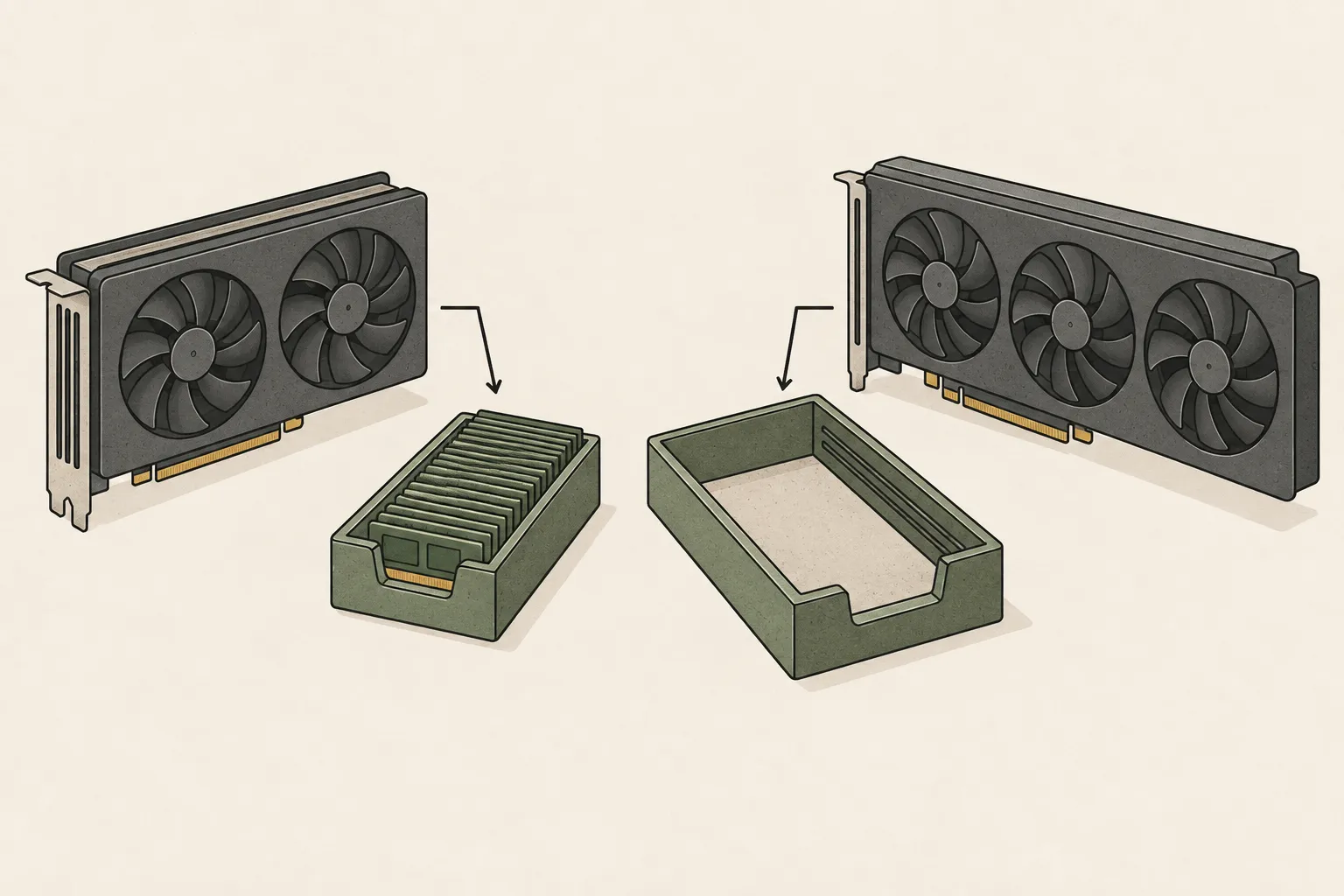
The 48 GB mod replaces memory chips
The 48 GB mod is not a software setting but a physical job that replaces the card's GDDR6X chips. When it succeeds, the driver reports 49152MiB and frameworks such as PyTorch2 see the same size. It is a different kind of work from a kernel-module unlock that opens compute rate.
Memory bandwidth3 stays at 936 GB/s, the same as the 24 GB model. Single-token generation is set by that bandwidth, so the mod does not speed up decode4. What grows is the model size you can keep resident on one card.
Booting is not proof of acceptance
A modified card can boot and display output and still fail at handover. The team behind the acceptance tool lists the failure modes: the driver reports the wrong memory size, CUDA5 sees less VRAM6 than expected, high-memory allocation crashes, or the OS log collects NVIDIA, WHEA, Xid or PCIe errors.
The acceptance run therefore has two stages: a short check and a long stress run. The short check reads the baseline, the stress run holds a large allocation for a long time, and then you reboot and check again.
The acceptance checklist
The tool checks that the GPU7 name contains 3090, that VRAM reports about 49152MiB, that PyTorch CUDA sees the same size, that compute capability is 8.6 as expected for a 3090, and that writes reach 92 percent of the target memory by default. It also records the PCIe link, VBIOS, driver, power, temperature and utilization.
OS log review is part of the checklist: NVIDIA, Xid and PCIe kernel errors on Linux, and NVIDIA, Display, WHEA and PCIe system events on Windows. Checks that could not run for lack of log permissions are not treated as passes but flagged for human review.
| Check | Criterion |
|---|---|
| GPU name | contains 3090 |
| VRAM | about 49152 MiB |
| Compute capability | 8.6 |
| Memory write | 92 percent default, 95 percent stress |
| OS logs | no NVIDIA, Xid, WHEA or PCIe errors |
Running the test and reading the verdict
In a workshop you run the short check first and use a longer stress run for handover. The tool takes a duration and allocation fraction such as --stress-seconds 1800 --vram-fraction 0.95, and you can adjust the expected size with --expected-memory-mib 49152 --memory-tolerance-mib 1024. Reports are saved under reports/ as Markdown and JSON.
There are three verdicts: ACCEPT when no check fails or warns, REVIEW when nothing hard-fails but a human should look, and REJECT when any required check fails. Do not accept on REJECT; for REVIEW, resolve the PCIe warning, temperature or permission issue before deciding.
chmod +x install.sh gpu-validator.sh
./install.sh
./gpu-validator.sh --quick
./gpu-validator.sh --stress-seconds 1800 --vram-fraction 0.95
# 재부팅 후 같은 카드에서 다시 확인
./gpu-validator.sh --quick
Capacity grows, speed does not
The mod has one benefit: a model that does not fit in 24 GB can live on one card. Unlike splitting across two 24 GB cards with tensor parallelism8, no inter-card communication or synchronization cost is involved. Power and heat, however, stay concentrated on one card.
Expecting speed here leads to disappointment. In the 3090 measurements published on this site, decode was 68.9 tok/s at 350 W and 51.0 tok/s at 250 W, following the power limit, while memory capacity did not change speed. A modified card sits on the same bandwidth.
Risks that remain with a modified card
A modified card is not covered by the manufacturer's warranty. A driver or kernel update can change what memory is reported, and then you need to repeat the same checks. Check whether the seller's warranty language points to a test result, such as a passing 49152 MiB report and stress run, rather than a vague promise that it works.
The same report matters when you sell the card on. Keeping the test record lets both buyer and seller verify the same conditions, so run the same check before selling as well.
Terminology notes
Token — A unit into which a model divides input or output for processing.
Back to the textPyTorch — A software framework for building and running AI models. Check the compatible PyTorch version and hardware support along with the model.
Back to the textMemory bandwidth — The amount of data transferable between memory and a processor per unit time, usually expressed in bytes per second (B/s).
Back to the textToken decoding — The stage that generates successive output tokens using the input and the response produced so far.
Back to the textCUDA — A software platform for general-purpose computing on NVIDIA GPUs.
Back to the textVRAM — Memory used by a graphics card’s GPU to store model weights and intermediate values.
Back to the textGPU — A processor designed to handle many calculations in parallel. It performs model computations during AI inference.
Back to the textTensor parallelism — A method that splits matrices and computations within a model layer across devices for joint execution. Devices communicate to combine partial results.
Back to the text
Frequently asked questions
- What should you check first in this article?
- The 48 GB mod physically replaces memory chips, and the first gate is whether the driver reports 49152 MiB. A card can boot and display output yet fail under high-memory allocation or a long stress run, so run the acceptance test and keep the report before accepting it. Bandwidth matches the 24 GB model, so token generation does not get faster; the gain is fitting a larger model on one card.
- How much memory does it need?
- The 48 GB mod is not a software setting but a physical job that replaces the card's GDDR6X chips. When it succeeds, the driver reports `49152MiB` and frameworks such as PyTorch see the same size. It is a different kind of work from a kernel-module unlock that opens compute rate.
- When is it better not to choose this?
- The mod has one benefit: a model that does not fit in 24 GB can live on one card. Unlike splitting across two 24 GB cards with tensor parallelism, no inter-card communication or synchronization cost is involved. Power and heat, however, stay concentrated on one card.