
read first
Last updated
Choosing local LLM hardware: memory, speed and power
Choose local LLM hardware by memory needs and acceptable wait
A local LLM1 processes questions, documents, and code on your computer to generate answers. Hardware choice depends on memory capacity and response time. Start with your usual PDF and coding tasks on the current machine, identify bottlenecks, then compare two candidates.
If the model cannot load on the device, you have a capacity problem. If it loads and answers correctly but takes a long time before the first text, examine input-processing wait; if text arrives slowly after the answer begins, examine generation speed. If a quick answer gets the PDF date wrong or breaks code, first review the prompt2 or model. Adding a GPU3 does not automatically improve answer quality.
Try both tasks on your current computer before buying
If your goal is to find a renewal date and evidence in a 20-page work PDF and occasionally fix a function error, assess hardware by whether it can finish those tasks. You do not have to start by targeting the highest specifications capable of running every public model. Run the same PDF question and code request on your current computer. Check the date and evidence in the PDF answer, existing tests for the code edit, and record model name, quantization4, and input length.
The important check differs by task.
| Workload | First result to verify | Measure if it becomes a bottleneck |
|---|---|---|
| PDF summary and evidence retrieval | Whether the date and evidence passage match the source | First-answer wait for long input and memory headroom |
| Function bug fix | Whether the requested change passes tests | Generation time and amount of rework |
Loading a model file and completing the task need different memory
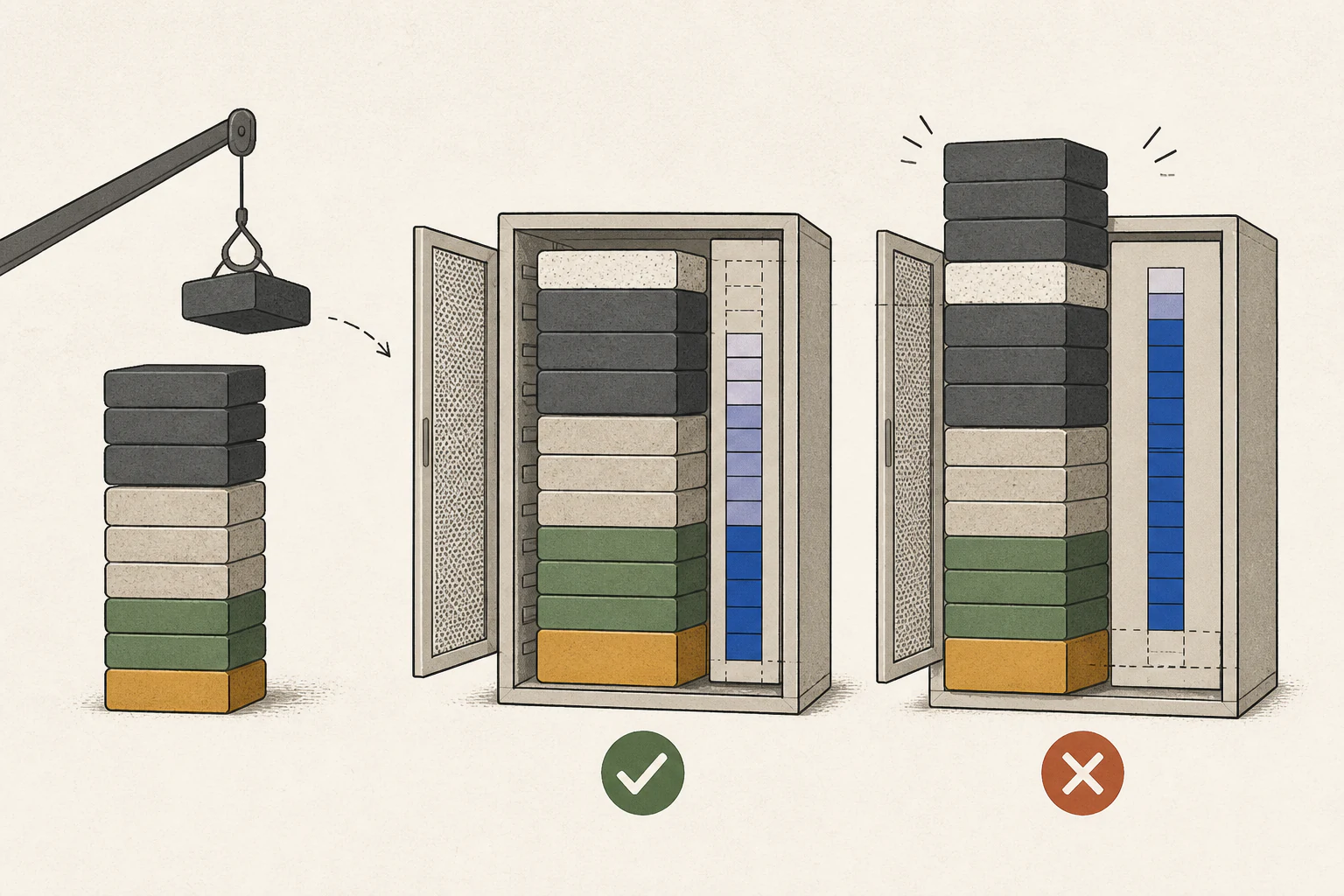
Even after weights load into memory, the runtime5 needs working space and a KV cache6 for input and answers. Long documents require more context than a short greeting, and answer generation also needs space. A successful short prompt therefore does not establish that the same setup can process a 20-page PDF. Check the full path through model loading, document input, and answer completion.
A Mac's unified memory7 is shared with the operating system and apps, while a discrete GPU's VRAM8 is separate from system RAM9. A 32 GB label on each does not mean the same amount is available exclusively to the model. If you plan to keep a browser and document editor open, leave room for them too. Do not assume all displayed memory can be assigned to the model; verify with the workload.
Measure first-answer wait and answer generation separately
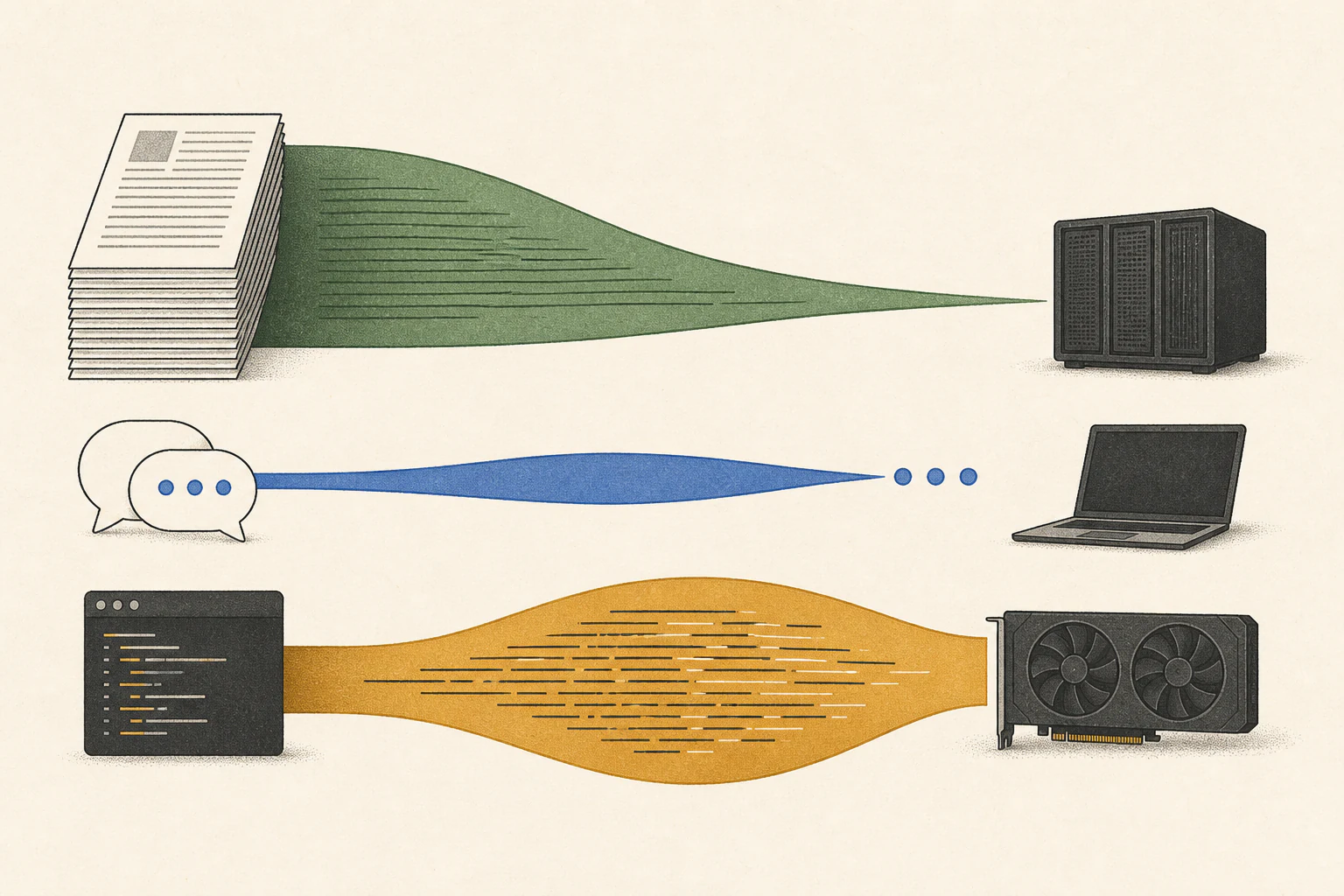
A model can fit in memory and still be unpleasant to use if the wait is long. Time from document submission to the first answer is affected by prefill10, which processes the input; time from the start of the answer to completion is affected by decode11. Measuring them separately helps determine whether to reduce long input or seek a configuration with faster generation.
Use the site's speed-experience comparison to narrow candidates, then look for run records with conditions close to the model you will use. Matching model names alone is insufficient if quantization, input length, and runtime mode differ. Treat estimated experience as a starting point for exploration and keep it separate from measurements on your own documents.
With a 2–3 million won budget, first assess upgrades to your current PC
Start by checking the GPU and VRAM in your current PC and whether the intended model and input fit. See whether you can add a graphics card alone. Check the power supply capacity and connectors, case length/thickness and slot clearance, supported RAM type and free slots on the motherboard, and SSD12 space for model files.
Separate quotes for upgrading the current PC and buying a new system, then compare like with like. Add the GPU and any required power supply, case, RAM, storage, or cooling costs to the upgrade option. Include the full PC or Mac and its memory/SSD options for a new system. For used GPUs, note warranty and return terms beside the price. Market listings are not final quotes, and components omitted from the TCO calculation must be added separately.
For a 2–3 million won budget, check whether both quotes fit and compare estimated wait with the same model, quantization, and input length. The example comparison URL uses RTX 3090 24 GB versus Mac mini M4 32 GB, Qwen 3.8 27B, and a 4096 context. Do not equate VRAM and unified memory by their numbers alone, and check whether your app supports CUDA13 or macOS. If both options exceed budget, first test with a smaller model or shorter input, identify the actual limit, and then quote again.
For hard-to-upgrade devices, size headroom around recurring tasks
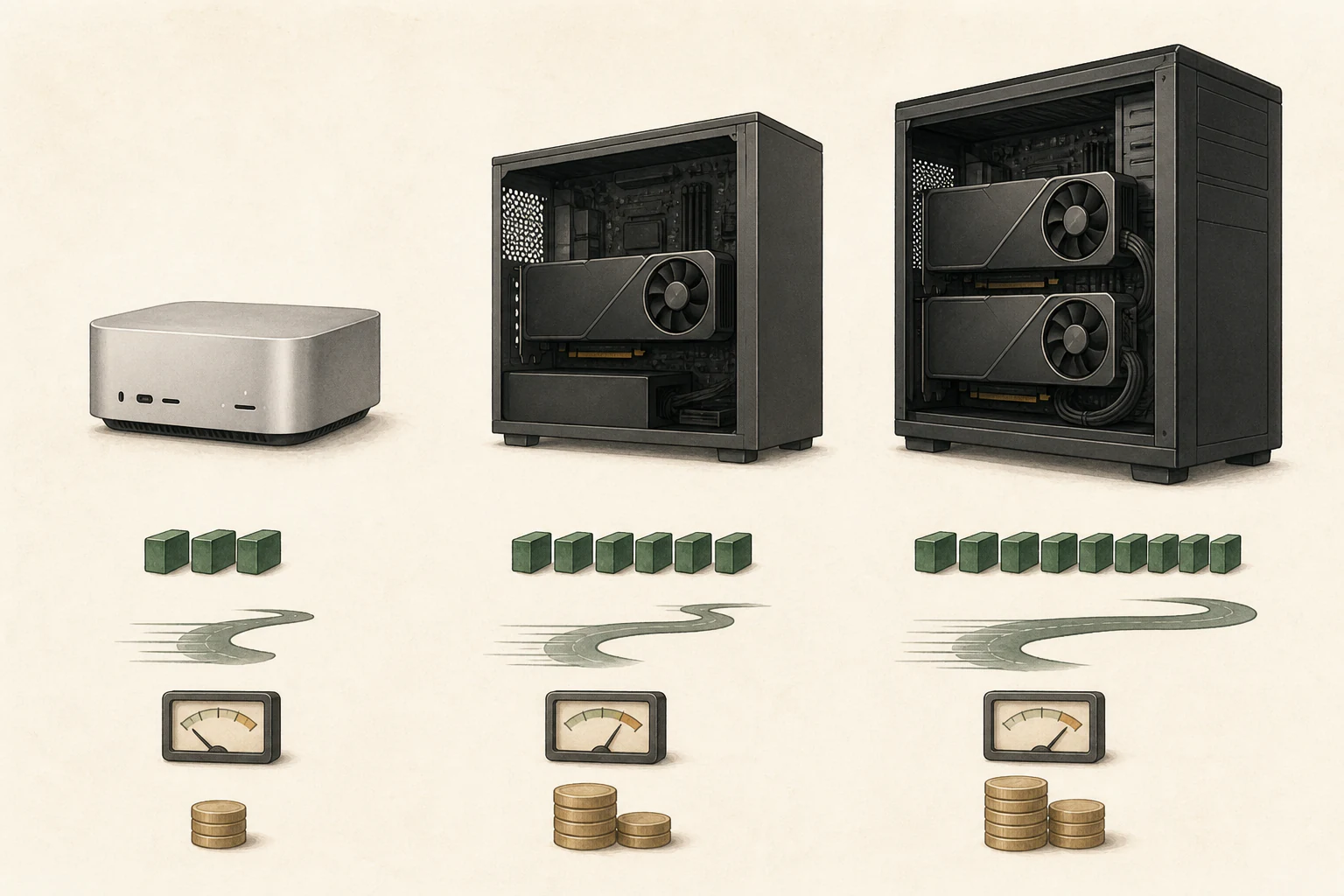
For hardware whose memory is difficult to upgrade later, list the task you do now and the next one you definitely plan to try, then check their memory needs. If you try a large model once a month but use a small document model on other days, decide whether that occasional experiment justifies sizing your daily device around it. A possible future use and a weekly recurring blockage are not the same reason to buy.
On the other hand, if each additional document hits the same limit and shortening the input removes necessary evidence, more memory may be required to finish the task. Record the document types and what you had to omit so you can resolve recurring problems without oversizing the next configuration.
Make a final check of both candidates on the same task
Once you have two candidates, keep the PDF and code prompts, model file, quantization, and input length from the initial test unchanged. Do not assume that a device with more memory finishes both tasks faster; check first-answer wait, generation speed, and task results together. Before buying, confirm that RAM, VRAM or unified memory, and SSD match the quoted product.
If your current computer completes both tasks correctly, keep using it. If memory runs short only when adding the PDF, look for a configuration that fits the model and context; if answers are correct but slow, compare configurations that actually accelerate the same model. If neither stage is blocked, you do not need to spend the remaining budget.
Terminology notes
Large language model — A model trained on large text datasets to learn language patterns and process or generate text in context.
Back to the textPrompt — The input text sent to a model. For generative models it describes the desired result and strongly shapes the output.
Back to the textGPU — A processor designed to handle many calculations in parallel. It performs model computations during AI inference.
Back to the textQuantization — A way to represent model weights or values with fewer bits, reducing storage and memory use. The coarser representation can also affect accuracy.
Back to the textRuntime — The software environment that provides facilities needed while a program runs. In local AI, it can also refer to a model execution engine.
Back to the textKV cache — Memory that stores attention keys and values from earlier tokens for reuse during later token generation. Its size depends on context length and batch size.
Back to the textUnified memory — An architecture where the CPU and GPU share one physical memory pool.
Back to the textVRAM — Memory used by a graphics card’s GPU to store model weights and intermediate values.
Back to the textSystem RAM — System memory that temporarily holds data while programs run.
Back to the textPrefill — The stage where an LLM reads the input prompt and computes representations for its tokens. Longer prompts contain more tokens to process.
Back to the textToken decoding — The stage that generates successive output tokens using the input and the response produced so far.
Back to the textSSD — A data storage device that uses flash memory and retains data without power.
Back to the textCUDA — A software platform for general-purpose computing on NVIDIA GPUs.
Back to the text
Frequently asked questions
- What should you check first in this article?
- A local LLM processes questions, documents, and code on your computer to generate answers. Hardware choice depends on memory capacity and response time. Start with your usual PDF and coding tasks on the current machine, identify bottlenecks, then compare two candidates.
- How much memory does it need?
- Even after weights load into memory, the runtime needs working space and a KV cache for input and answers. Long documents require more context than a short greeting, and answer generation also needs space. A successful short prompt therefore does not establish that the same setup can process a 20-page PDF. Check the full path through model loading, document input, and answer completion.